Overview
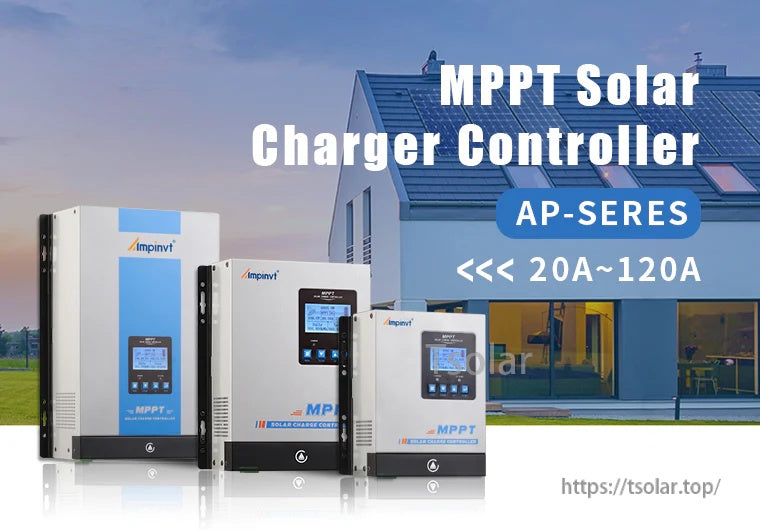
The Ampinvt AP-Series 80A MPPT solar charge controller is designed for DC 12V/24V/36V/48V battery systems and supports AGM, sealed, gel, flooded, and lithium batteries. It features an LCD main interface for viewing PV, battery, and charging information, plus daily/total energy statistics and curve screens.
Key Features
- MPPT Solar Charger Controller (AP-Series) (series range shown: 20A~120A)
- System voltages: DC 12V / 24V / 36V / 48V
- Rated charging current: 80A
- LCD monitoring screens with status and history/curve pages (see “Specifications” for displayed parameters)
- Temperature monitoring with external and internal temperature readouts (external sensor included)
Specifications
| Brand | Ampinvt |
| Series | AP-Series |
| Controller type | MPPT solar charge controller |
| System voltage | DC 12V / 24V / 36V / 48V |
| Rated current | 80A |
| Supported battery types | AGM, sealed, gel, flooded, lithium |
| Product size | 365mm x 290mm x 160mm |
Main Interface Display Items (LCD)
| 1 | PV module voltage |
| 2 | Daily power generation (charging volume) |
| 3 | Charging power |
| 4 | Charging current |
| 5 | Battery capacity indication |
| 6 | Battery voltage |
| 7 | Total power generation (charging volume) |
| 8 | Date |
| 9 | Charging state: maximum power tracking, floating charge, stop charging |
| 10 | External temperature |
| 11 | Internal temperature |
| 12 | Battery Type / System Voltage Current Level |
| 13 | Real time |
Curve Screens (LCD)
- Current curve: Current (MAX: 00.00A); Time (5:00-20:00); Current (Proportion: 1:10). MAX records the highest charging current value of the day.
- Power curve: Power (MAX: 0000W); Time (5:00-20:00); Power (Proportion: 1:1000). MAX records the highest charging power value of the day.
What’s Included
- 1 x 80A MPPT Solar Charge Controller
- 1 x Temperature sensor
- 1 x User Manual
Applications
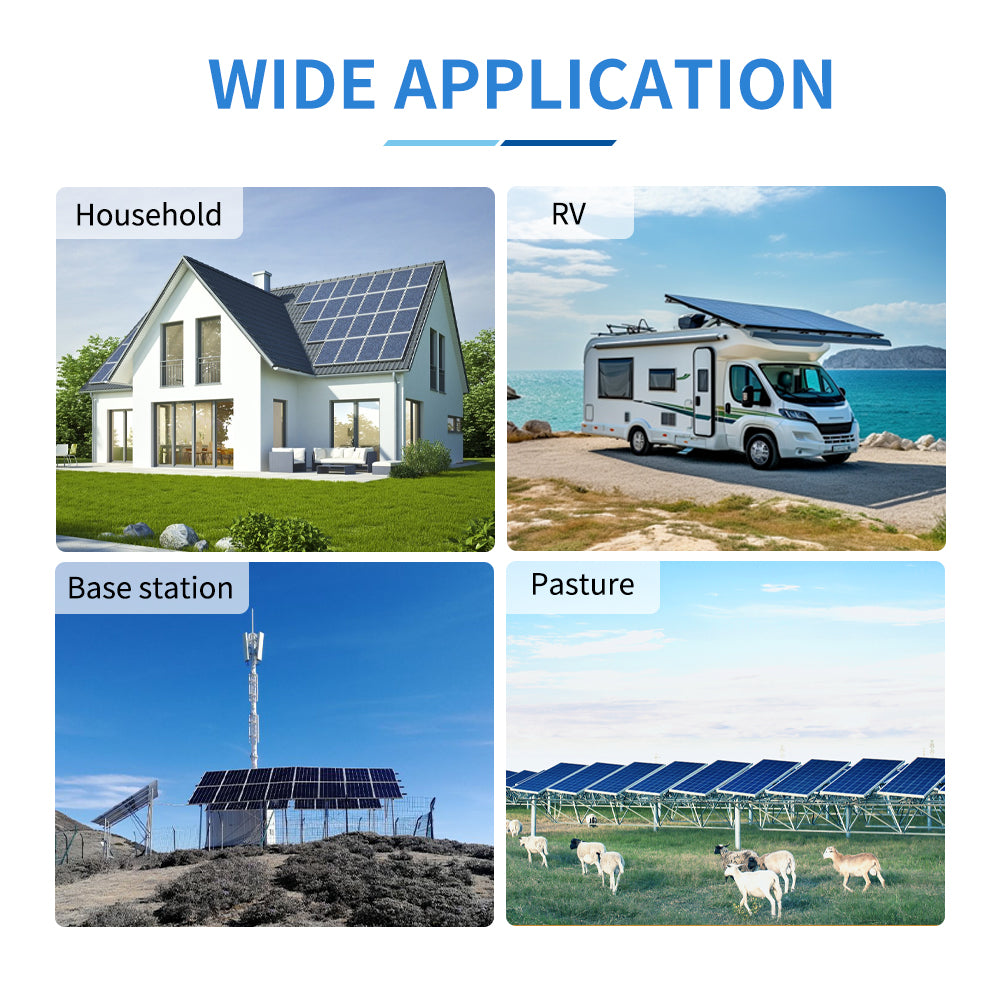
- Solar charging for 12V/24V/36V/48V battery banks (AGM, sealed, gel, flooded, lithium)
- Off-grid PV charging systems where an MPPT solar charge controller is required
Important Wiring & Installation Notes
- ALWAYS connect the battery first. Ensure enough battery voltage so the controller can recognize the correct system voltage. NEVER connect the solar panel array to the controller without a battery. The disassembly sequence is the reverse of the wiring order.
- DO NOT connect any inverter/wind/alternator/charger into the charge controller. Connect the inverter directly to the battery.
- Ensure solar input voltage is higher by 3V or more than the battery voltage and total input power is within the allowed range. If PV input power is too low, charging current may be close to zero during floating charge.
- Charging indicator and charging current may switch on/off on cloudy days or in the evening when light is insufficient; this is normal.
- If buzzing occurs, the fan is dissipating heat. Wait for cooling.
- DO NOT install the controller in direct sunlight to avoid power loss due to overheating. Keep sufficient clearance for heat dissipation (leave approximately 20cm space) and remove clutter to reduce interference.
- Ensure all connections are tight. DO NOT let battery positive (+) and negative (-) terminals touch each other.
For installation guidance before purchase or after-sales support, contact https://tsolar.top/ or email service@tsolar.top.
Details
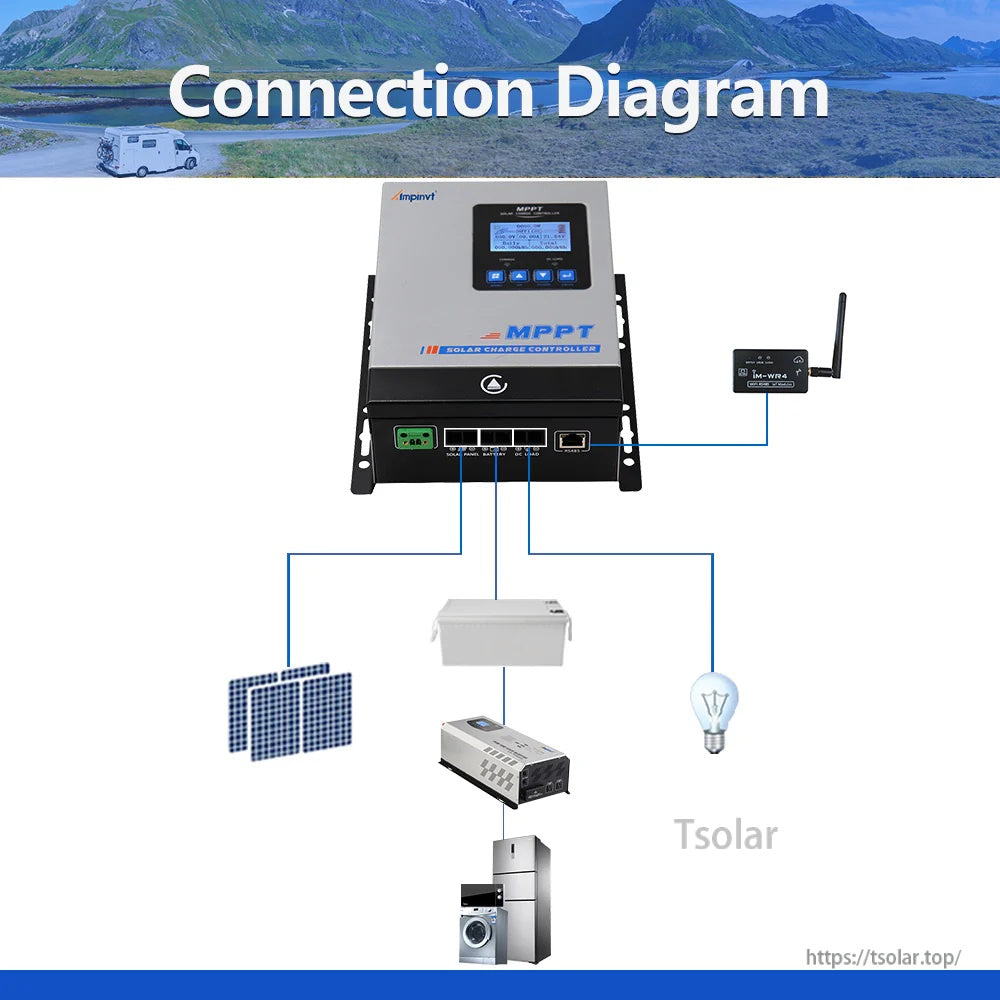
Wire the system in order—battery first, then connect the PV array and DC loads to the controller terminals.
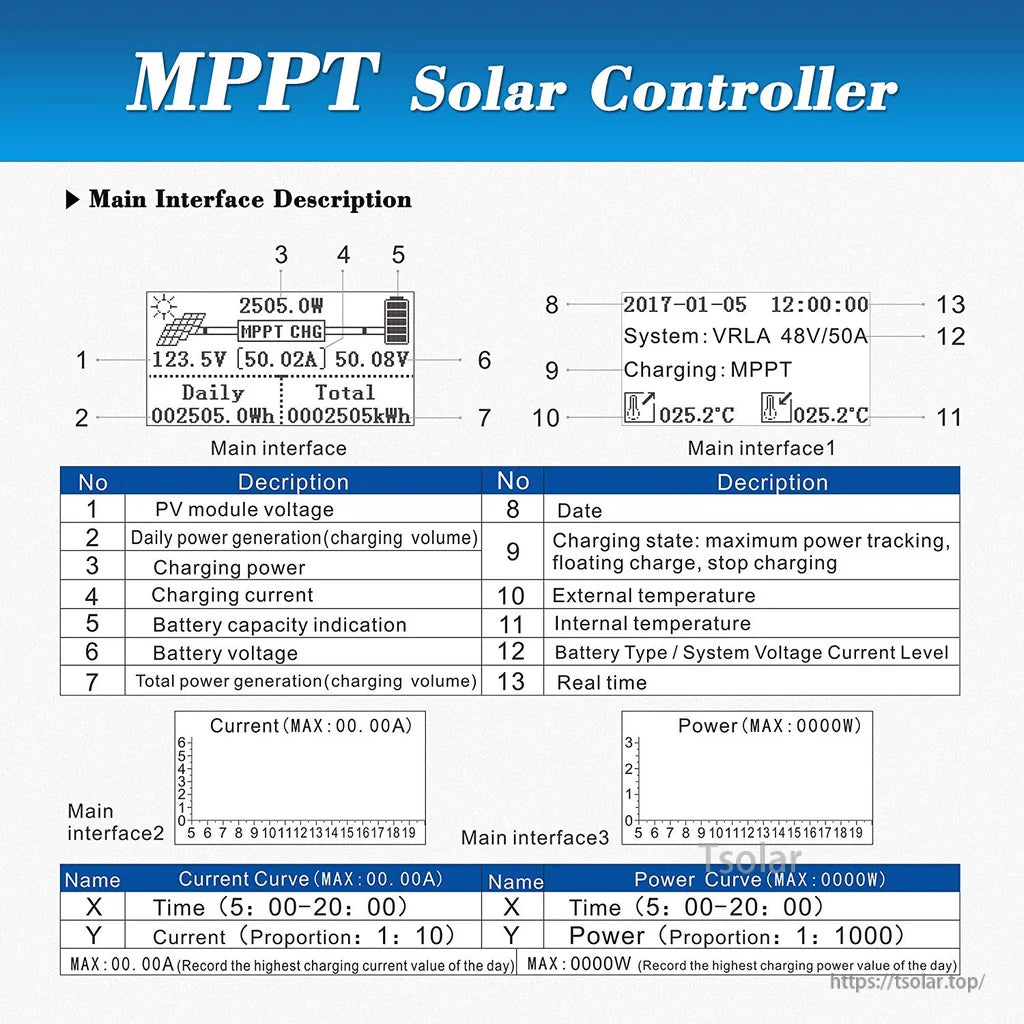
The built-in LCD provides live PV and battery readings plus daily/total energy stats and charge current/power curves.
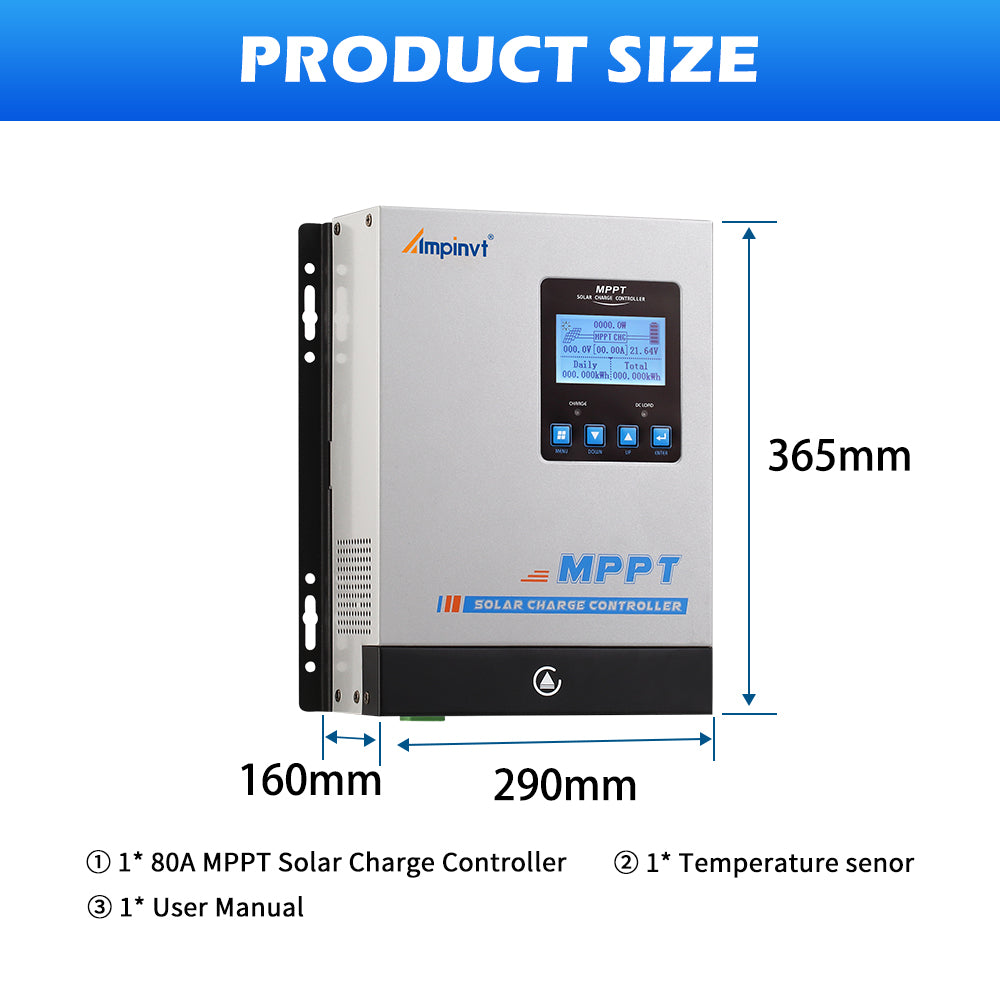
Wall-mount design measures 365 × 290 × 160 mm and includes an external temperature sensor for battery charging control.