Overview
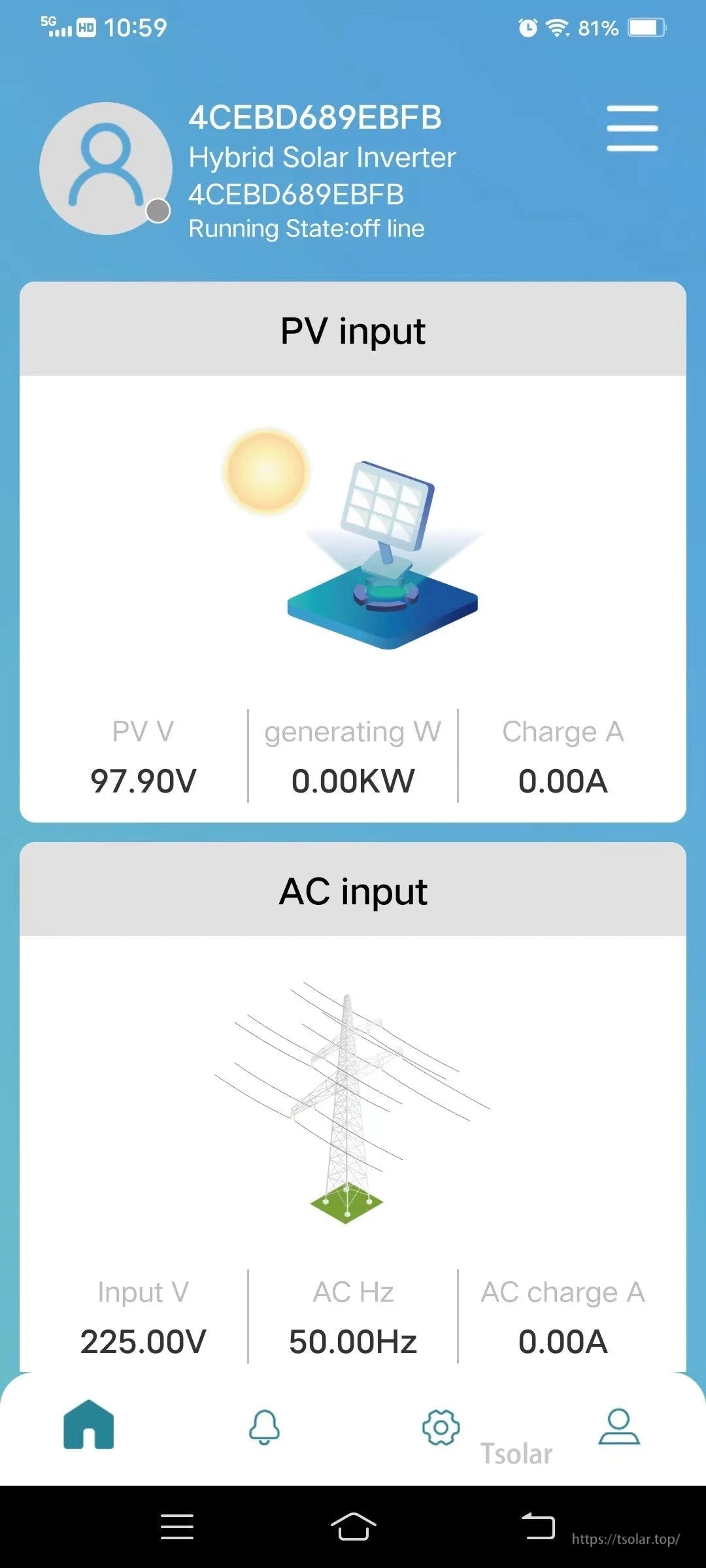
The RS485 WiFi box for Cloud APP -02 (IM-WR4 / M-WR4 Box-WIFI-V3.0) is a serial server / communication adapter that adds WiFi communication to compatible solar charge controllers and inverters via RS-485. It supports APP monitoring and parameter setting, with local mode and cloud mode available for wireless monitoring and control.
Key Features
- RS485 to WiFi protocol conversion for users who need WiFi networking from RS-485 serial communication.
- APP monitoring & settings: wireless real-time monitoring of solar controller and inverter data; simple setup.
- Energy & power monitoring: monitor Daily energy / Monthly energy / Total energy and power in real time.
- One-key restore to factory settings.
- iOS & Android supported (Lucky PV App).
- Local mode and cloud mode supported.
- CPU: high performance CPU with core M4, ultra-low power consumption, and high-speed data processing capability.
- No external power supply required.
- Communication distance: up to 165 f.
- Simple operation: converters are configured intelligently; no need to know complex TCP/IP protocol; plug and play.
Compatibility
- HT-(Ampinvt) Series Inverter Charger
- FT-(Ampinvt) Series Inverter Charger
- APC (Ampinvt) Series Solar Charge Controller
- TG-(Ampinvt) Series Solar Inverter (silver case, Ampinvt logo)
Applications
- RV wireless monitoring
- Camping power system monitoring
- Street lighting wireless monitoring
Specifications
| Product / Type | RS485 & WiFi Function communication adapter; serial server; wireless data terminal (IoT) |
| Model | IM-WR4; M-WR4 Box-WIFI-V3.0 |
| Interface | RS-485 |
| Wireless | WiFi |
| App | Lucky PV App (Android & iOS) |
| Monitoring | Daily energy / Monthly energy / Total energy; power |
| Modes | Local mode; cloud mode |
| CPU | Core M4 |
| External Power Supply | Not required |
| Communication Distance | Up to 165 f |
For setup or compatibility questions, contact customer support at https://tsolar.top/ or email service@tsolar.top.
Manuals
The packaging/label includes an “APP & Manual” QR code for access to the app and documentation.
Details


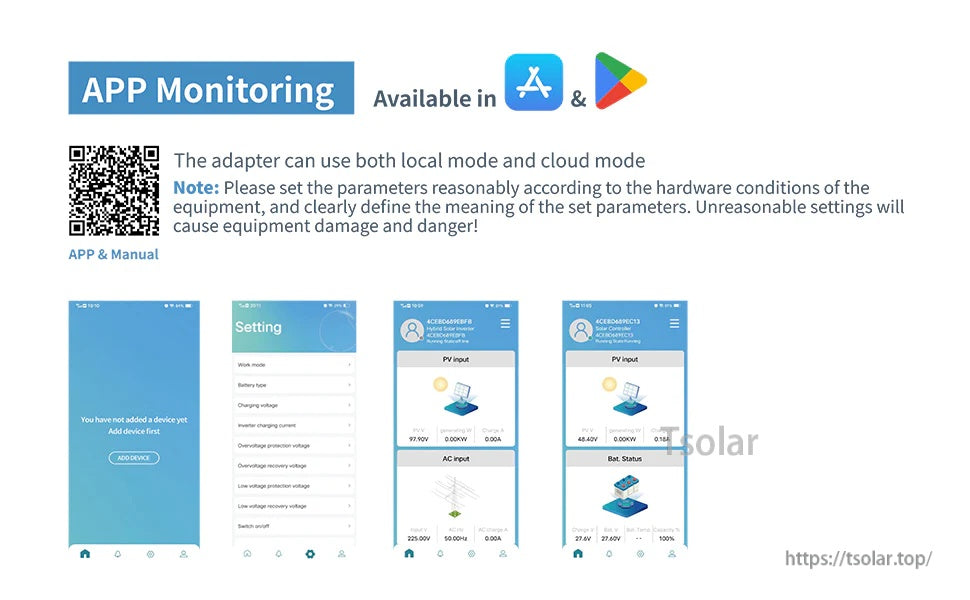
Scan the QR code on the label to get the Lucky PV app and the latest manual, then choose local or cloud monitoring.