Overview
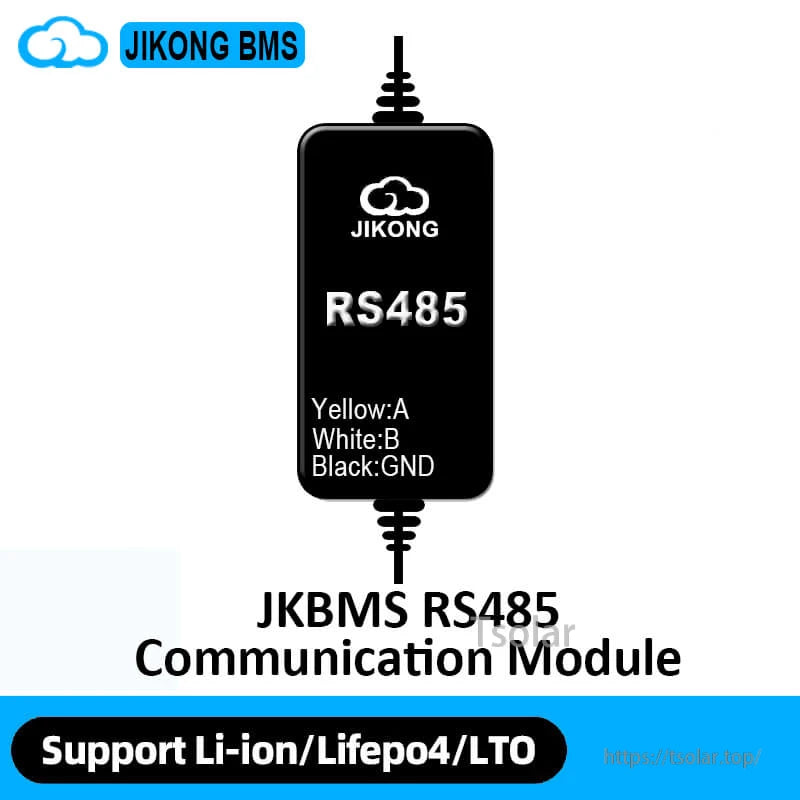
The JKBMS RS485 CAN Module for JIKONG BMS is a communication module for compatible JIKONG (JK BMS) battery management systems, providing RS485/CANBUS communication and built-in Bluetooth for mobile monitoring on iOS/Android.
Key Features
- Bulit-in Bluetooth Module
- Support RS485/CANBUS Communication
- Support IOS/Android System
- Download the specified Bluetooth application and activate the BMS.
- Open the Bluetooth application and find the relevant serial number,then you can check all the data.
Compatibility
- BMS: For 8S BMS Only, Other BMS
Interfaces / Pin Definitions (as labeled)
- CANBUS (Need customization): GND, CAN_H, CAN_L
- RS485 (BY default): GND, RX, TX, VCC
- LCD (BY default): K-, K+, GND, B, A, VCC
- Heat Function (Need customization)
- Panel labels shown: CAN/RS485, GPS
Six Security Protection (feature text provided)
- Over charge protection: Prevent over-charging affects battery life
- Short circuit protection: Automatic protection when short circuit protection
- Over discharge protection: Prevent the battery from running out
- Over current protection: Prevent the current from exceeding the battery range
- All-in protection: Prevent cable drop or poor contact
- Over temp protection: Preyent the battery from over heating
Smart energy working mode switching (feature text provided)
- Storage Mode: In transportation,storage,offline or wireless transmission off mode, the BMS is in storage mode, which does not consume battery pack current.
- Normal Working Mode: When the charger is inserted in the storage mode and off mode, the BMS will immediately return to the normal working mode, and all the protection functions, equalization functions and communication functions will return to normal working.
- Shutdown: To prevent the BMS from wasting power for a long time and damaging the battery pack, the BMS has an automatic shutdown voltage, and the BMS automatically shuts down when a cell falls below the shutdown voltage.
- Standby Mode: When the battery pack is in the static state (no charge and discharge current and no equilibrium current), the BMS will automatically enter the standby state after the set time (1-30 days can be set) is exceeded.
Model/Parameter Text Visible in Product Graphics (verbatim)
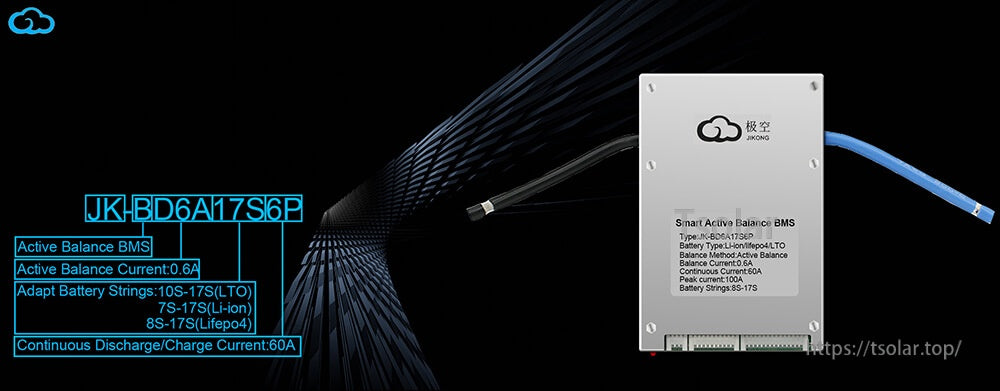
JK-BD6A17S6P graphic text
- JK-BD6A17S6P
- Active Balance BMS
- Active Balance Current:0.6A
- Adapt Battery Strings:10S-17S(LTO) / 7S-17S(Li-ion) / 8S-17S(Lifepo4)
- Continuous Discharge/Charge Current:60A
- Smart Active Balance BMS
- Type: JK-BD6A17S6P
- Battery Type: Li-ion/Lifepo4/LTO
- Balance Method: Active Balance
- Balance Current: 0.6A
- Continuous Current: 60A
- Peak current: 100A 17S
- Battery Strings: 08-17S
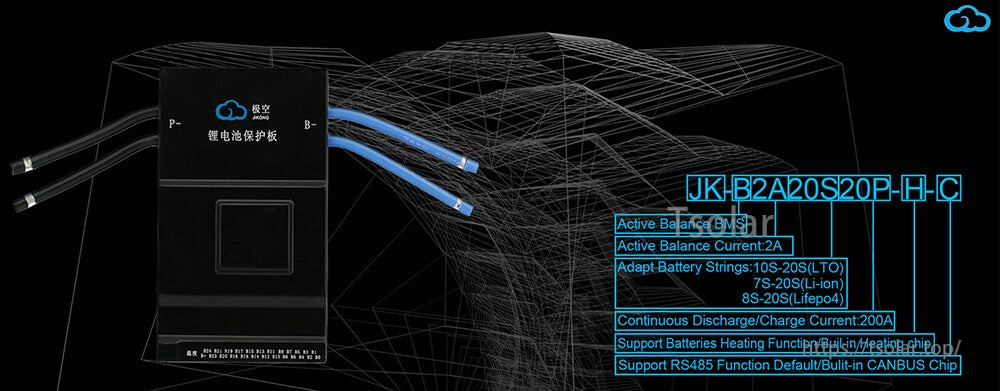
JK-B2A20S20P-H-C graphic text
- JK-B2A20S20P-H-C
- Active Balance BMS
- Active Balance Current:2A
- Adapt Battery Strings:10S-20S(LTO) / 7S-20S(Li-ion) / 8S-20S(Lifepo4)
- Continuous Discharge/Charge Current:200A
- Support Batteries Heating Function (Built-in heating chip)
- Support RS485 Function Default/Built-in CANBUS Chip
Customer Support
For compatibility confirmation (for example, matching the module to a specific JIKONG/JK BMS variant) or after-sales assistance, contact https://tsolar.top/ or service@tsolar.top.
Details
Add RS485/CANBUS communication plus Bluetooth monitoring to compatible JIKONG (JK BMS) systems.
RS485 is the default interface; CANBUS support is available by customization for specific setups.
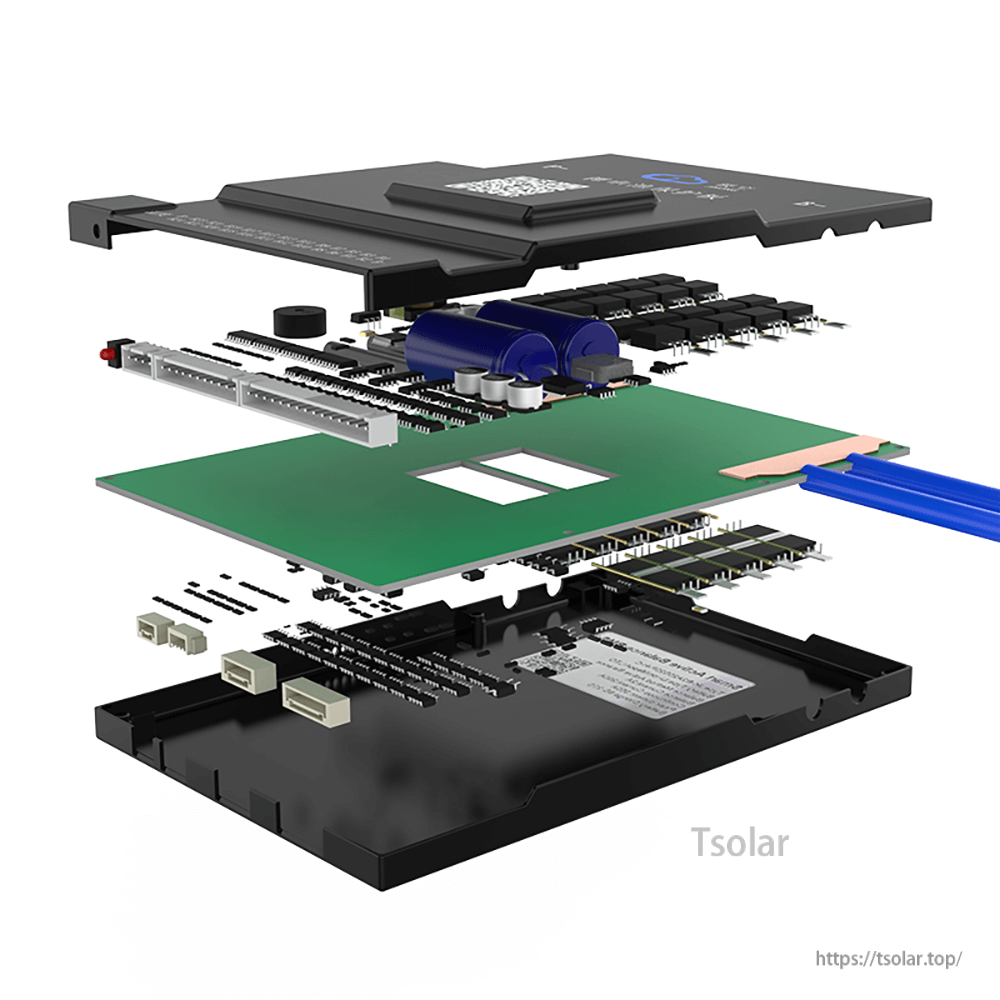
A compact module design integrates into the BMS system for stable communications and mobile connectivity.
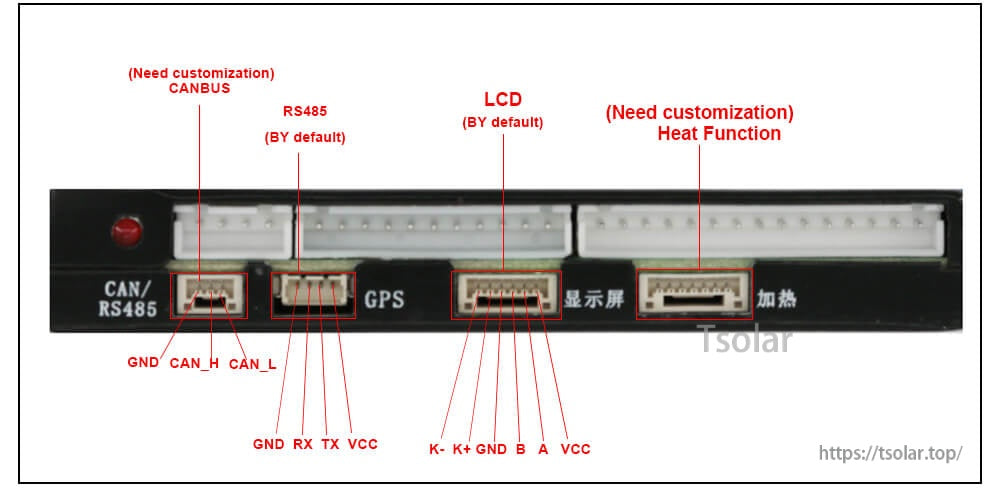
Clear port labeling helps match CANBUS/RS485 wiring and optional accessories like GPS, LCD, or a heating function.
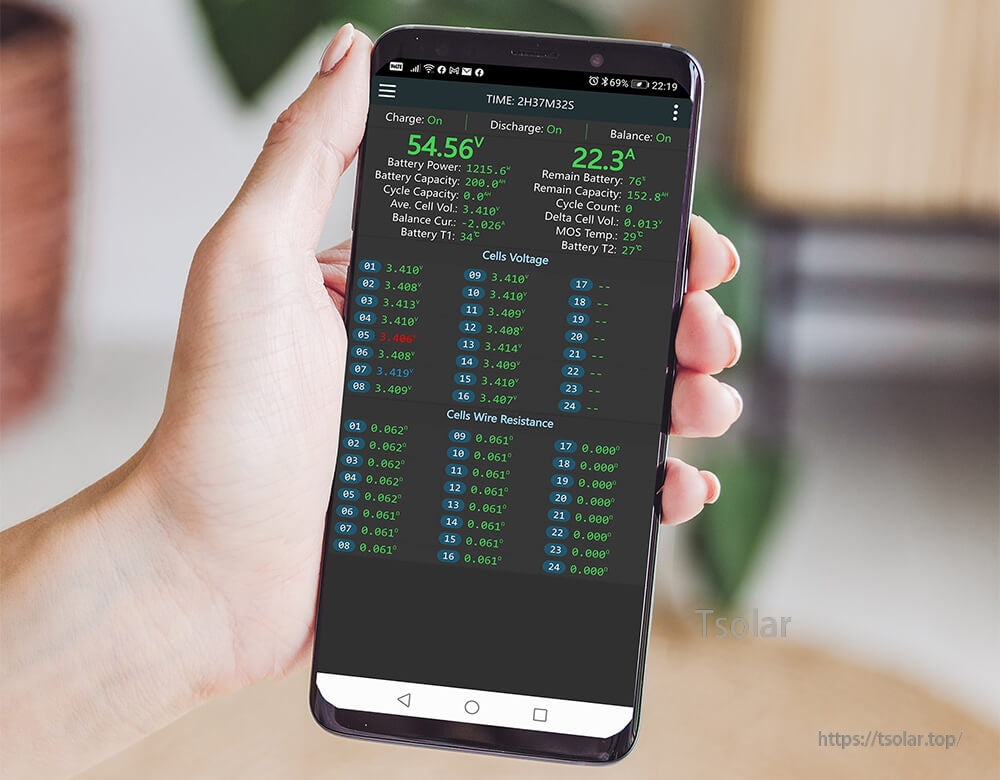
Use the Bluetooth app on iOS/Android to check pack status, cell voltages, and live charge/discharge data.
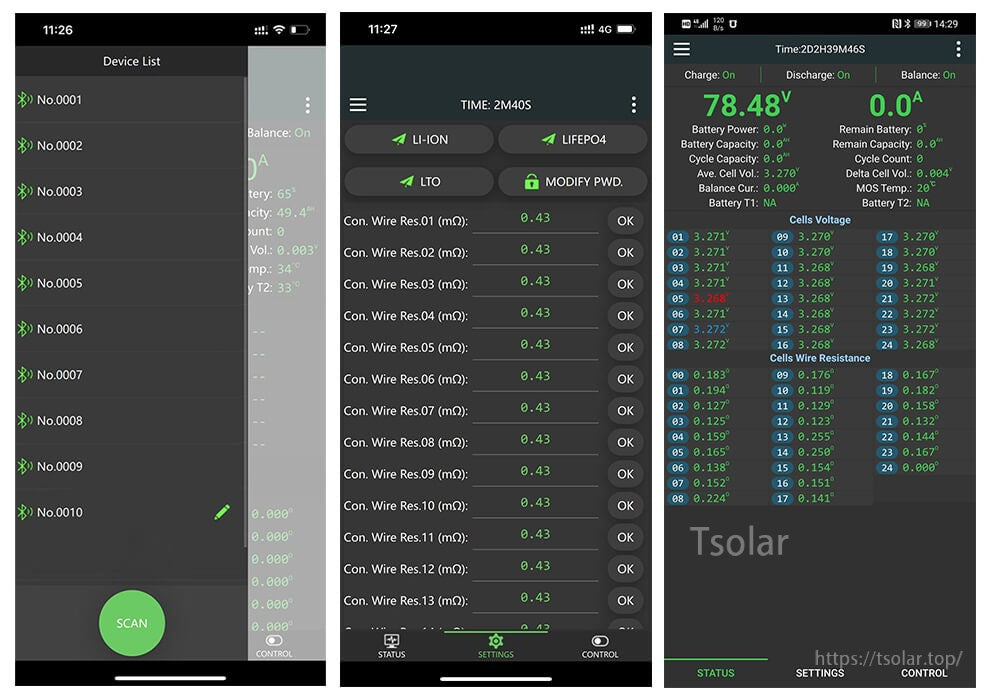
Scan for the BMS device, select battery type settings, and review detailed cell and resistance readings in the app.
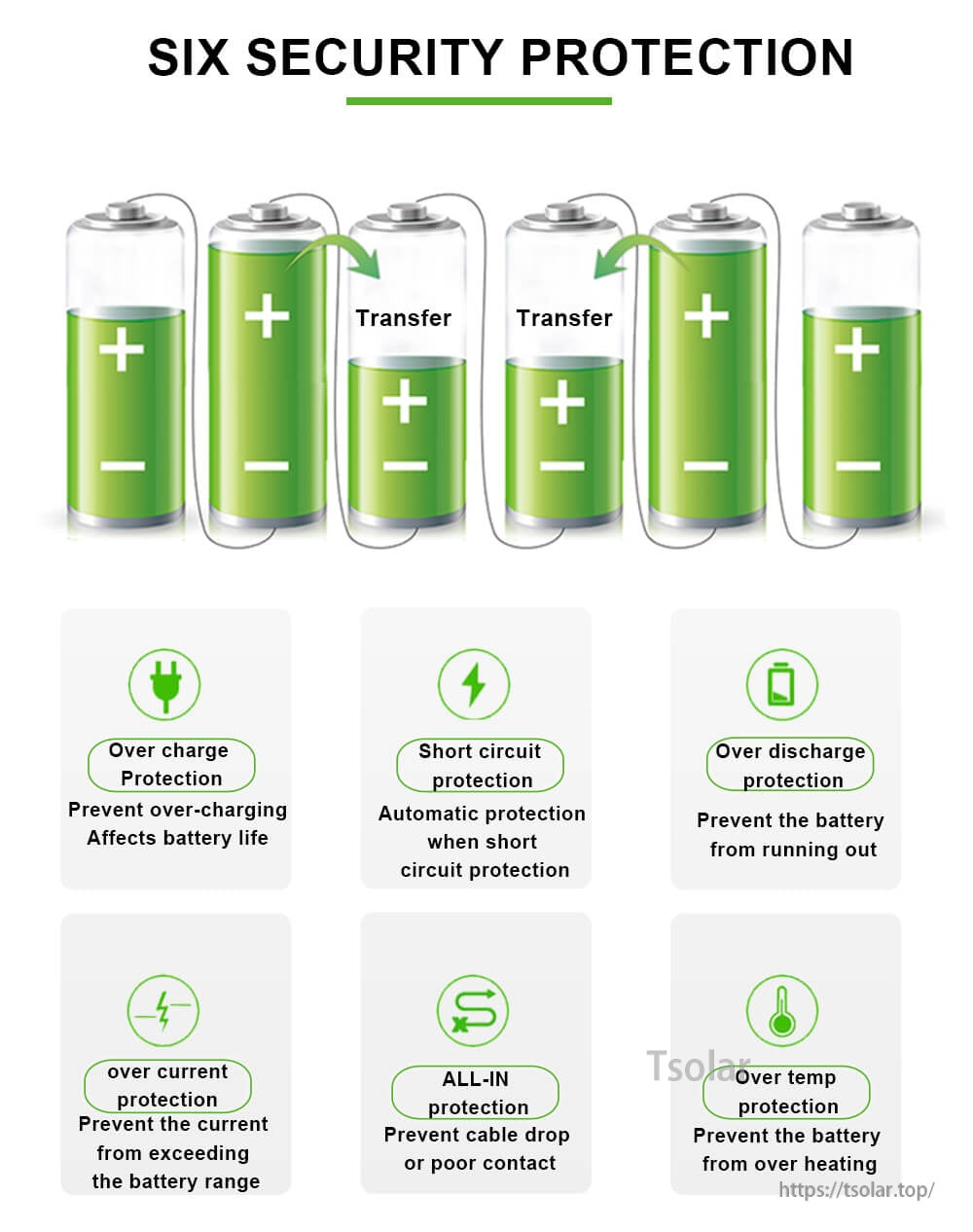
Built-in protections help reduce risk from common battery faults such as overcharge, short circuit, and overheating.
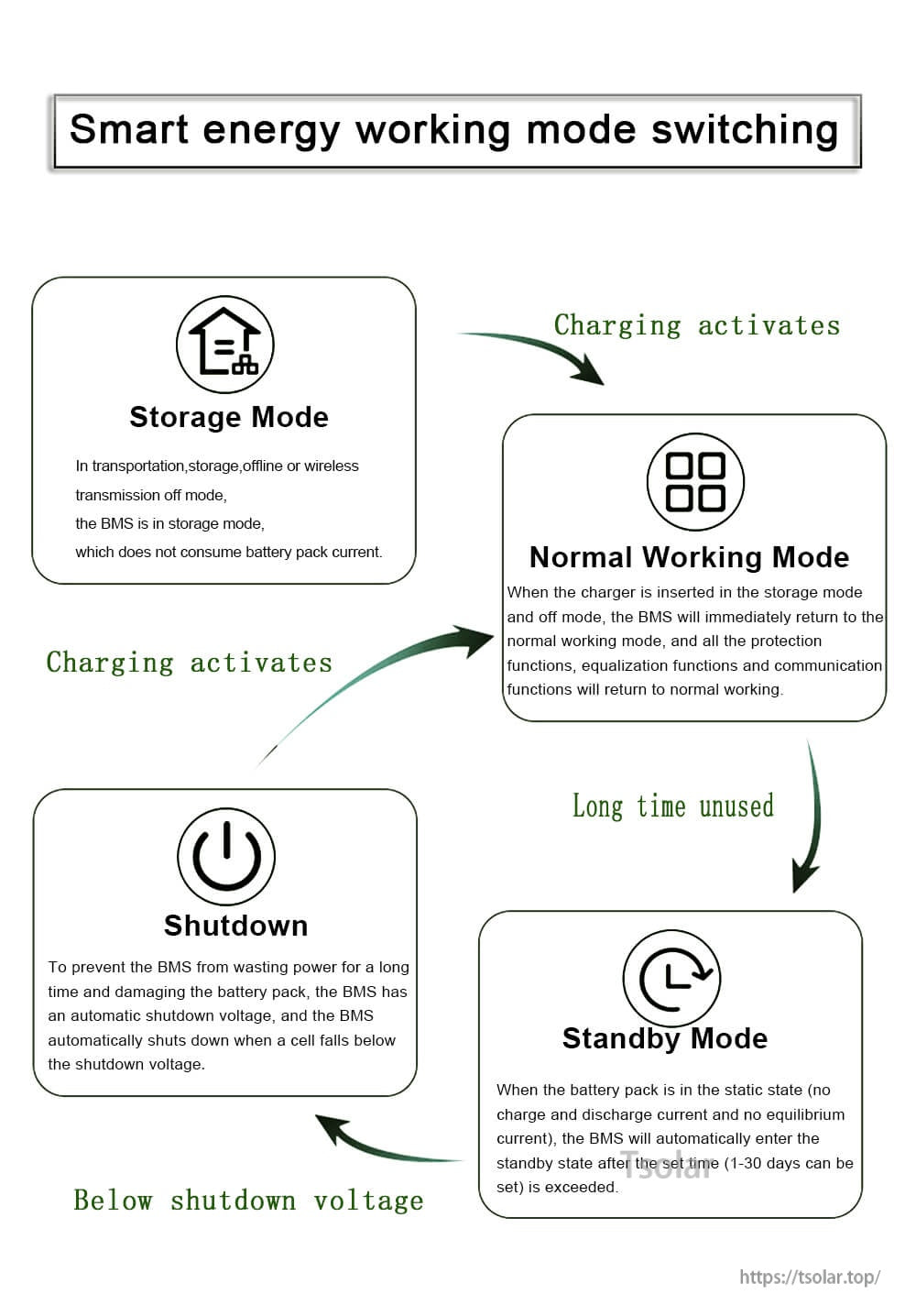
Smart working modes are designed to reduce standby drain during storage while restoring full function when charging starts.
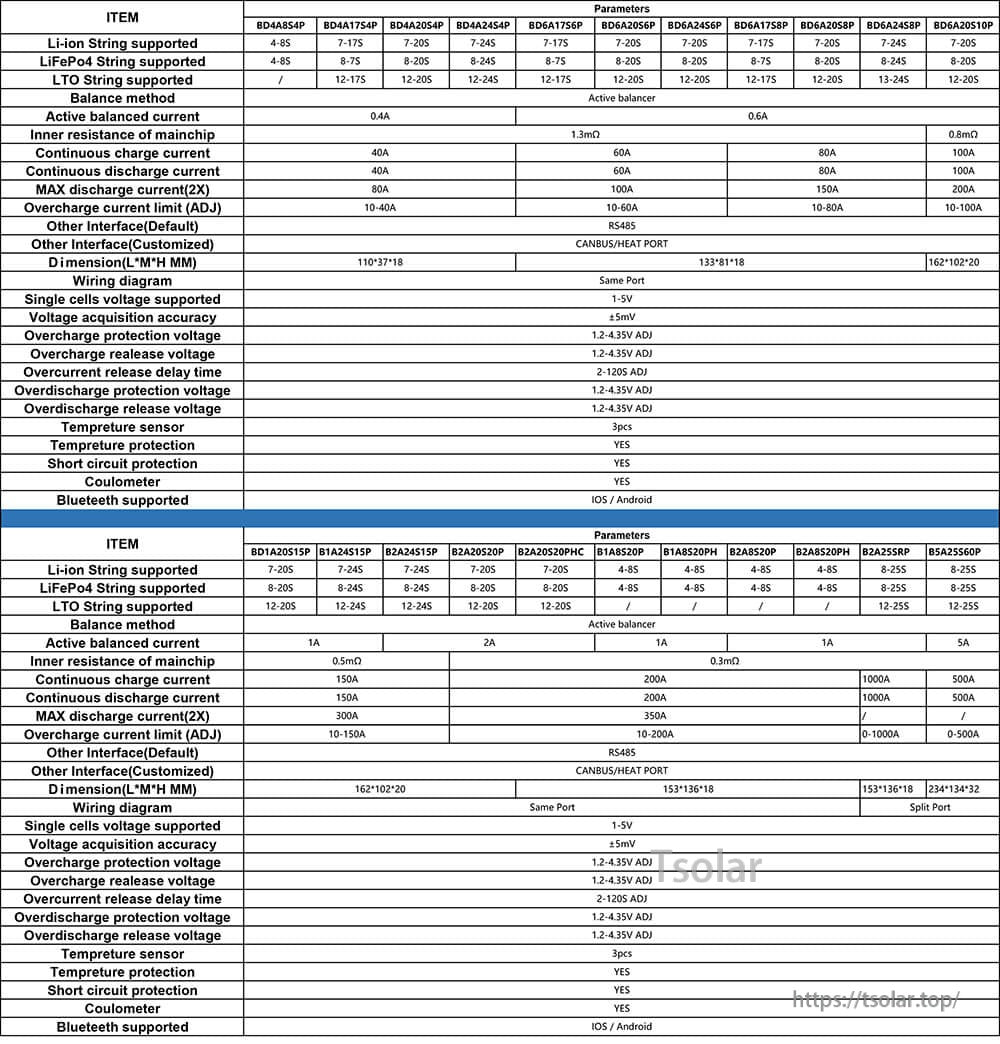
Reference specs and supported configurations are listed in the parameter table for quick model comparison.