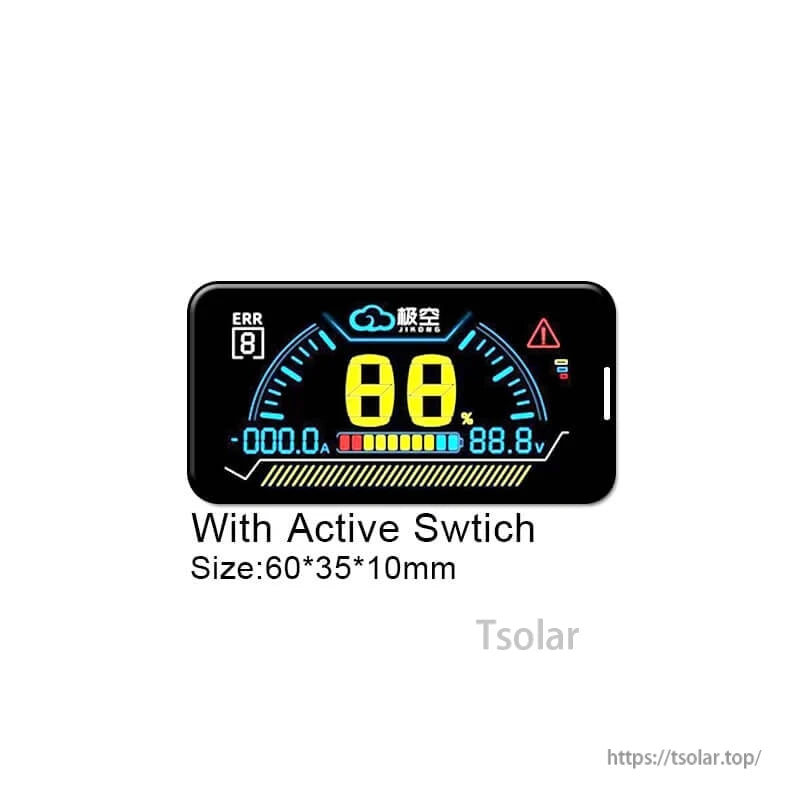
Overview
The JKBMS 2.5 LCD Power Board Display is a display accessory for JIKONG BMS, providing real-time monitoring on an LCD and supporting communication features used with compatible JIKONG BMS systems.
Key Features
- Real-time monitoring display items: SOC, CURRENT, VOLTAGE, WARNING
- Built-in Bluetooth module (used with the specified Bluetooth application)
- Supports RS485/CANBUS communication
- Supports iOS/Android systems
- Activation via button press function (BMS activation by press button)
LCD Operation Instructions
- When the BMS is off, press the touch button on the left side of the LCD screen once to turn on the BMS.
- When BMS is on, the display will turn off the LCD backlight to reduce power consumption if no current output from BMS is detected for 10 seconds.
- When BMS is on, if the display does not display the content, press the left button of the LCD screen once, and the LCD screen turns on the backlight.
- When BMS is on, if the monitor is displaying the content, press the left button of the LCD screen once and turn off the backlight.
- When BMS is on, long press the touch button on the left side of the LCD screen for 2 seconds and the BMS is off.
Six Security Protection (BMS Functions)
- Over charge protection: Prevent over-charging affects battery life
- Short circuit protection: Automatic protection when short circuit protection
- Over discharge protection: Prevent the battery from running out
- Over current protection: Prevent the current from exceeding the battery range
- All-in protection: Prevent cable drop or poor contact
- Over temp protection: Prevent the battery from over heating
Ports & Pin Labels (as marked)
- CANBUS (Need customization): GND, CAN_H, CAN_L
- RS485 (By default): GND, RX, TX, VCC
- LCD (By default): K-, K+, GND, B, A, VCC
- Heat Function (Need customization)
Whats Included
- JKBMS 2.5 LCD Display
- Option: JKBMS 2.5 LCD Display with 3M extension cable
Bluetooth App Notes
- Download the specified Bluetooth application and activate the BMS.
- Open the Bluetooth application and find the relevant serial number, then you can check all the data.
Applications
- JIKONG BMS monitoring and system status viewing (SOC/current/voltage/warnings)
- Battery system installations where an external LCD display and RS485/CANBUS interfacing are required
For product selection help and after-sales support, contact: https://tsolar.top/ or service@tsolar.top.
Details
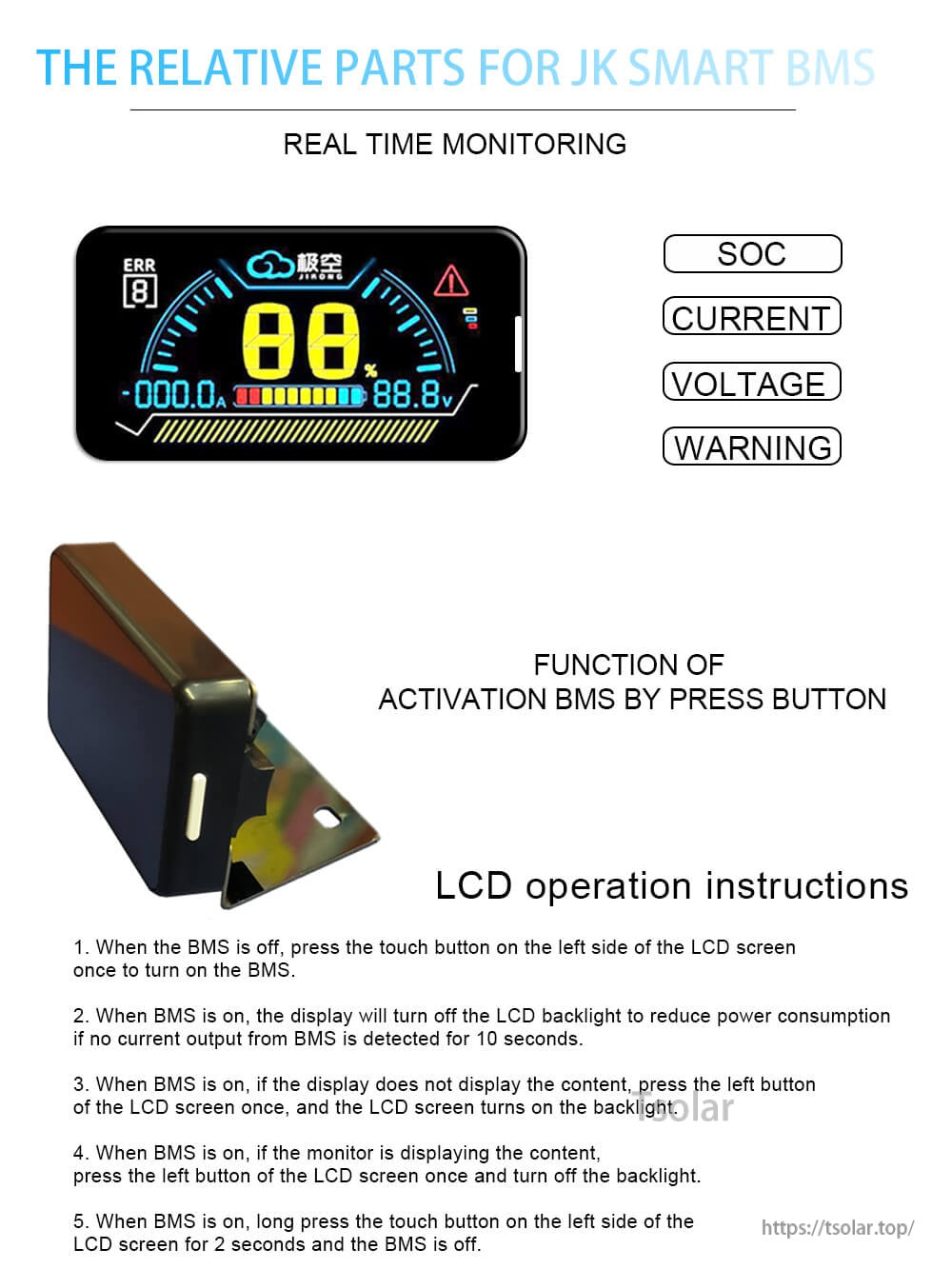
Monitor key battery stats at a glance and use the touch button to wake the BMS or toggle the backlight.
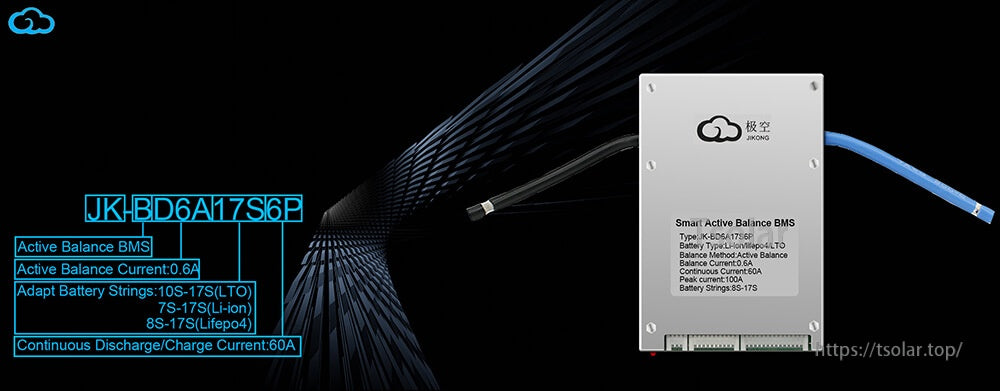
Pair the LCD accessory with compatible JIKONG BMS systems for on-pack status viewing and communication.
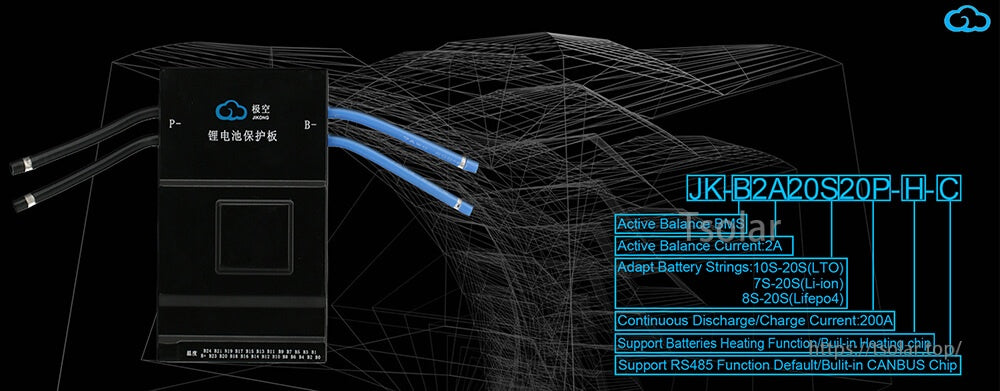
RS485 is supported by default, with optional CANBUS functionality available by customization.
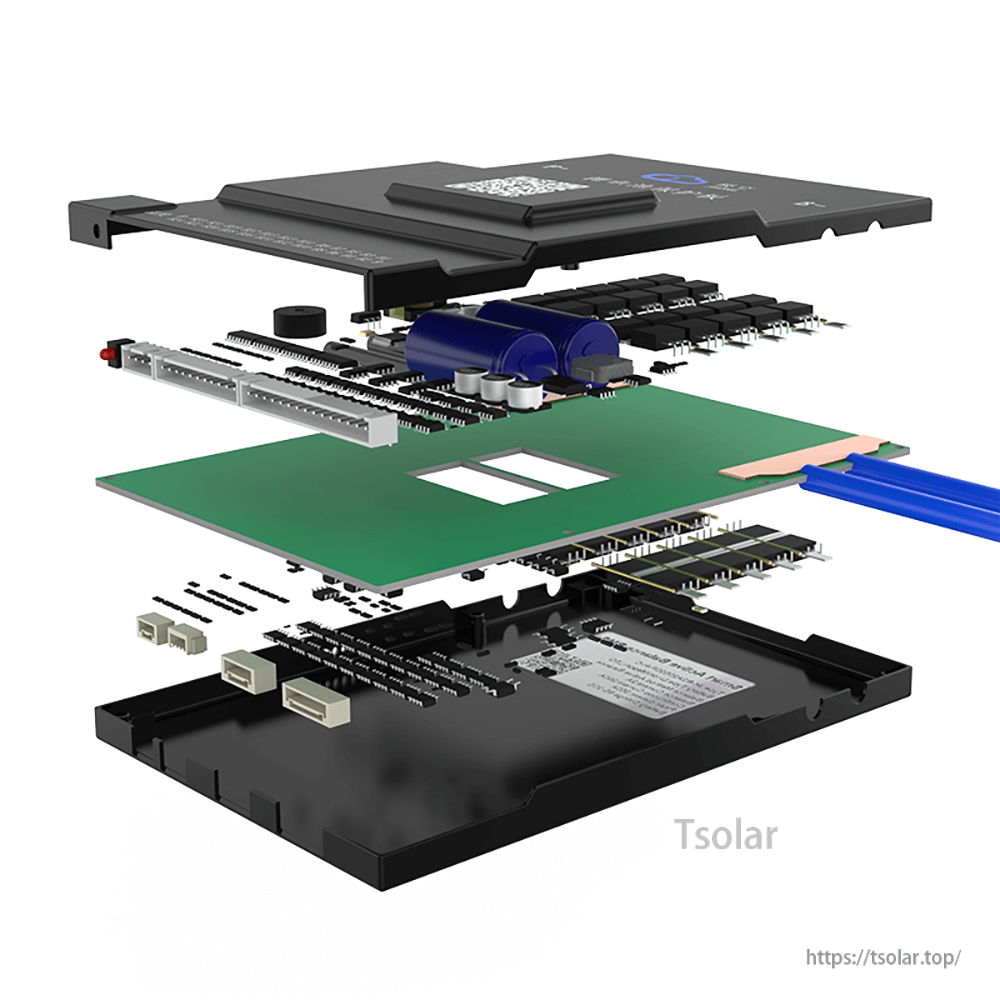
Compact, layered construction integrates the control board and connector interfaces inside the housing.
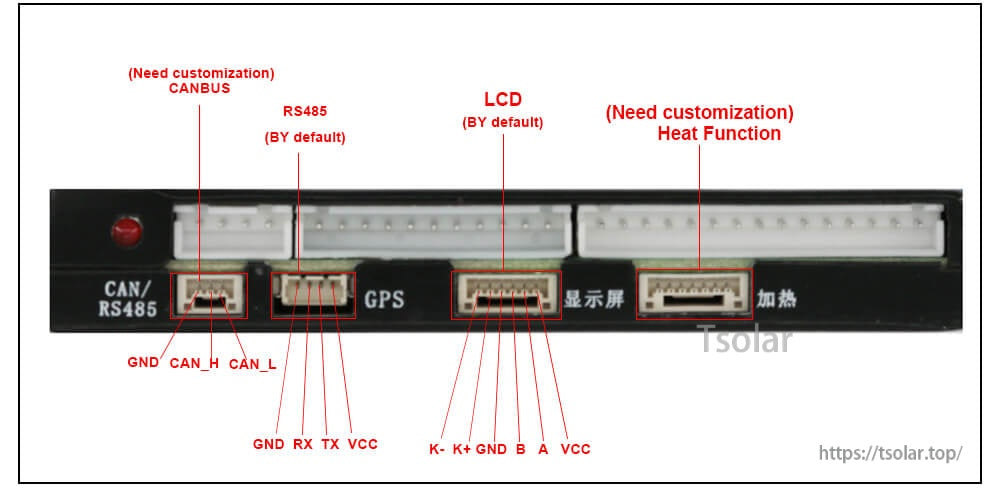
Clear port labeling helps wire the LCD header and the RS485/CANBUS connections correctly.
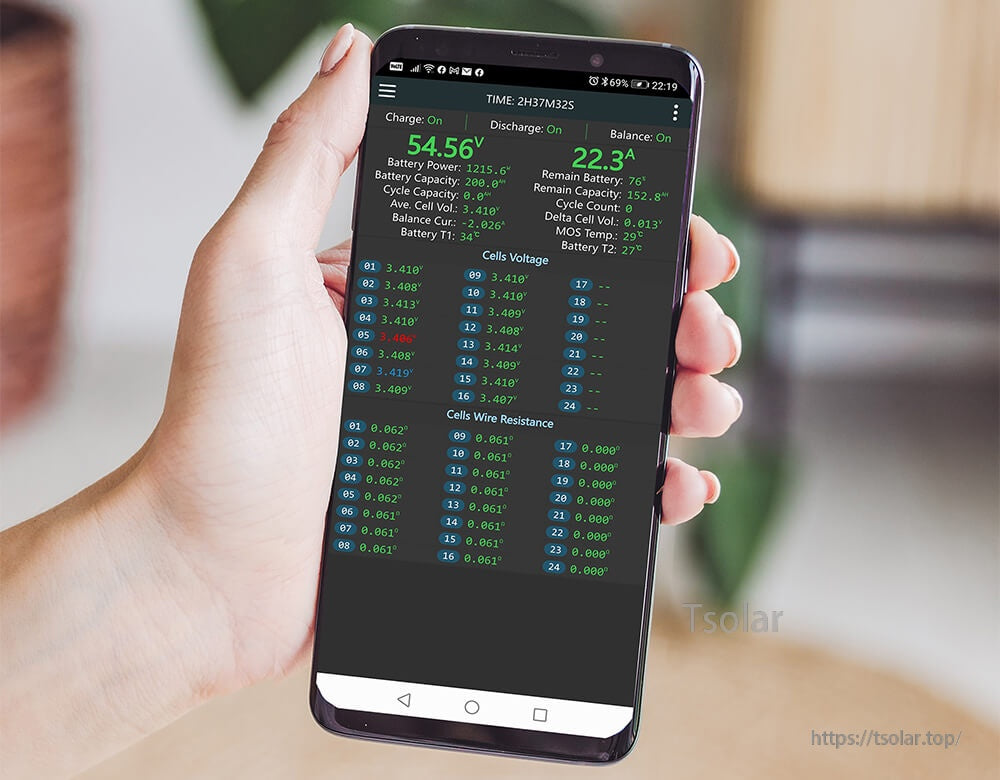
Bluetooth app access on iOS/Android lets you check live pack data alongside the LCD display.
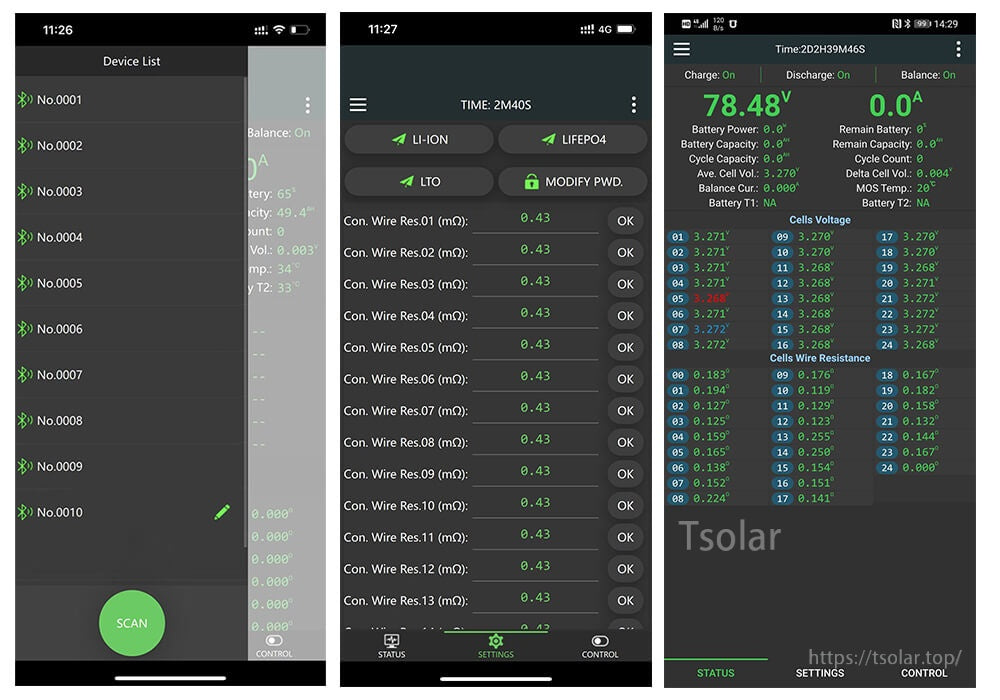
Use the app to scan for the BMS, adjust settings, and review detailed cell voltage information.
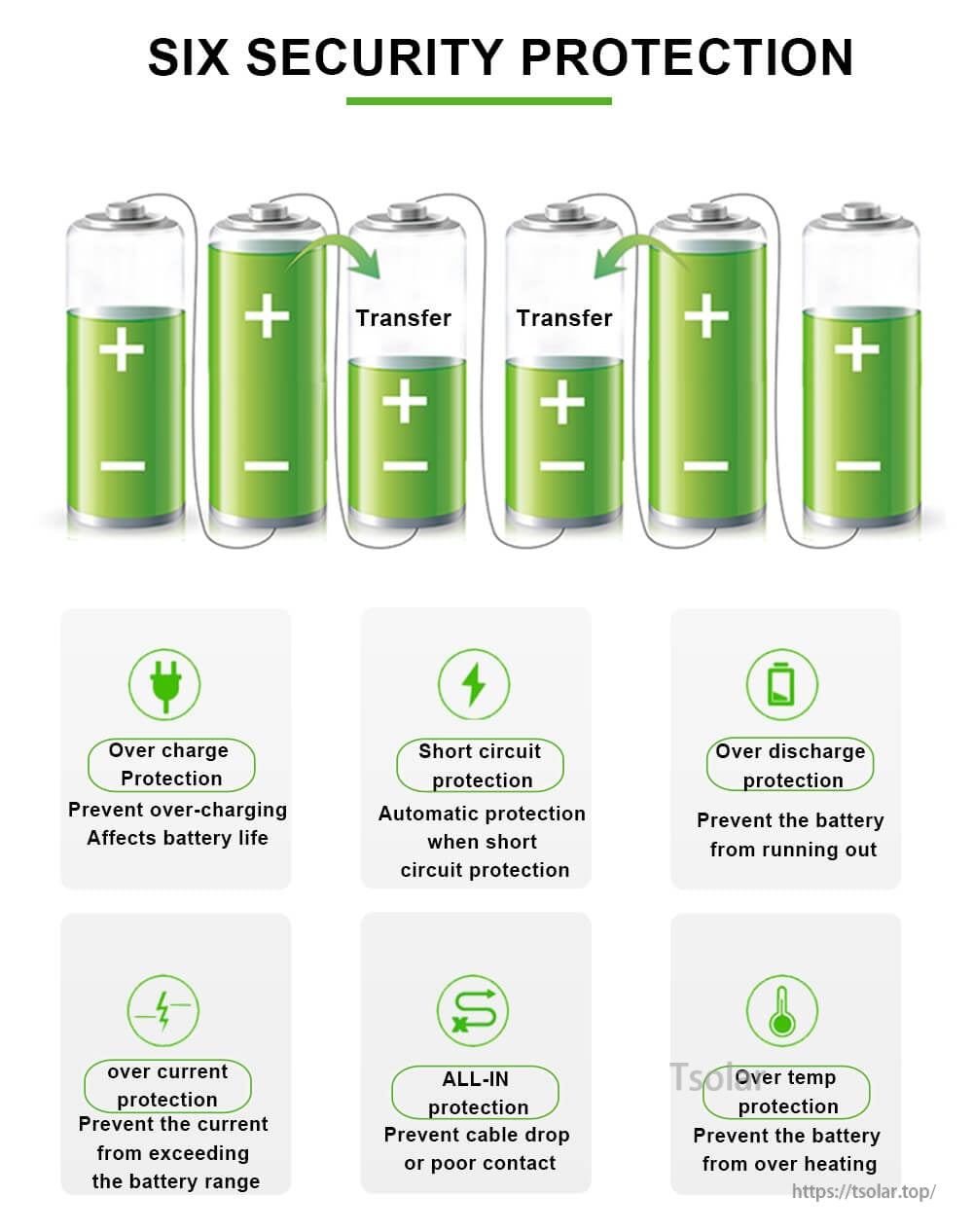
Built-in protection functions help safeguard the battery pack during charge, discharge, and fault conditions.
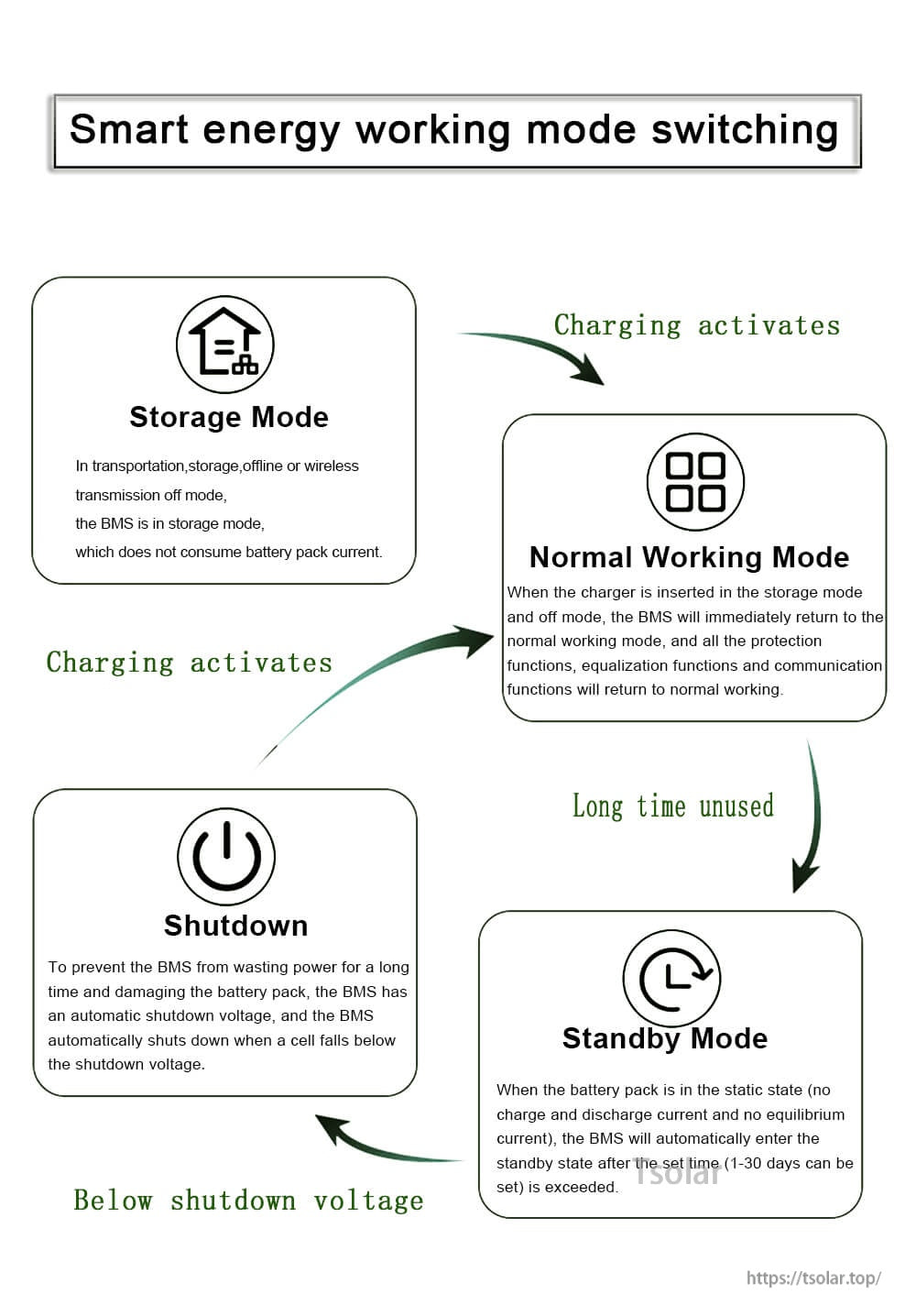
Energy modes support storage, standby, and automatic shutdown behavior based on activity and charging state.
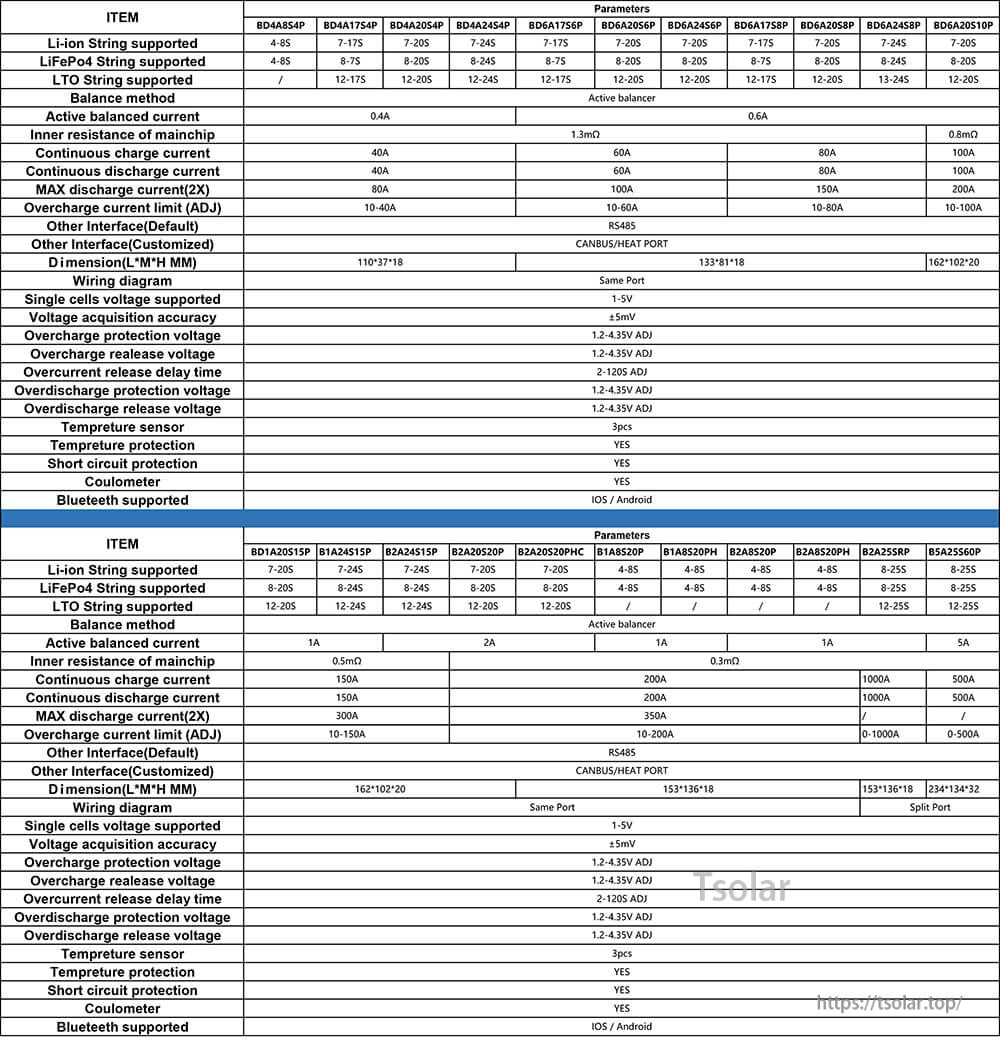
Check the parameter table to confirm compatibility with your BMS model and communication interface needs.