Overview
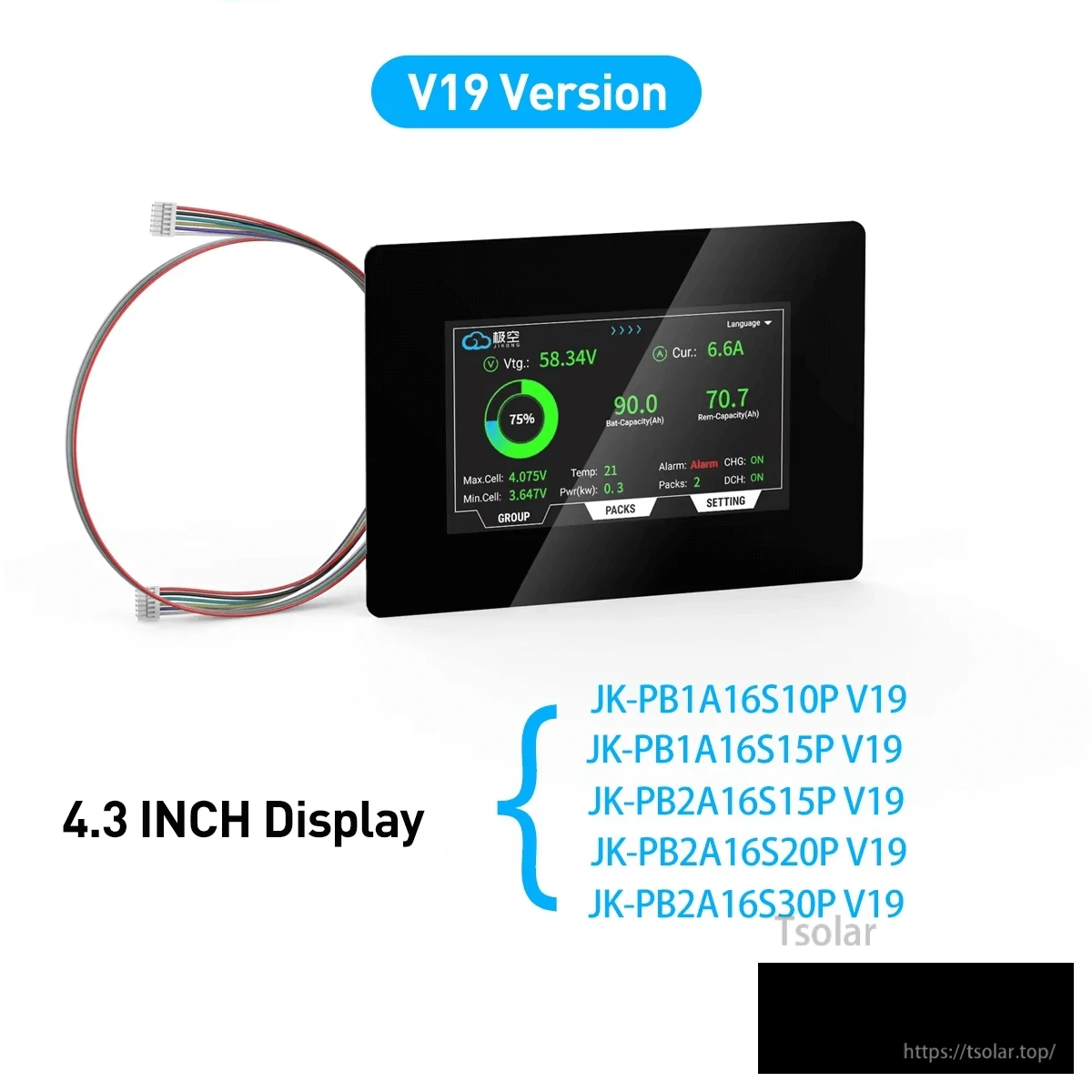
This LCD display adapter is a JKBMS V19 version 4.3 inch touch screen display accessory for JIKONG V19 PB serial BMS. PBxA16SxxP series inverters are dedicated to BMS V19 version. Purchase options include: 4.3 LCD Display, 4.3 LCD Display with 3M Extension Cable, or Only 3M Extension Cable.
Key Features
- 4.3 inch touch screen display
- Built-in Bluetooth module
- Supports RS485/CANBUS communication
- Supports iOS/Android system
- Display cable labeled: Display Cable 50mm
- Connections and mounting labels: Display Cable Connector, Switch Key Connector, Adhesive
Bluetooth app operation (as provided)
- Download the specified Bluetooth application and activate the BMS.
- Open the Bluetooth application and find the relevant serial number, then you can check all the data.
Six security protection (as provided)
- Over charge protection: Prevent over-charging affects battery life
- Short circuit protection: Automatic protection when short circuit protection
- Over discharge protection: Prevent the battery from running out
- Over current protection: Prevent the current from exceeding the battery range
- All-in protection: Prevent cable drop or poor contact
- Over temp protection: Prevent the battery from over heating
Working mode switching (BMS)
- Storage Mode: In transportation, storage, offline or wireless transmission off mode, the BMS is in storage mode, which does not consume battery pack current.
- Normal Working Mode: When the charger is inserted in the storage mode and off mode, the BMS will immediately return to the normal working mode, and all the protection functions, equalization functions and communication functions will return to normal working.
- Standby Mode: When the battery pack is in the static state (no charge and discharge current and no equilibrium current), the BMS will automatically enter the standby state after the set time (1-30 days can be set) is exceeded.
- Shutdown: To prevent the BMS from wasting power for a long time and damaging the battery pack, the BMS has an automatic shutdown voltage, and the BMS automatically shuts down when a cell falls below the shutdown voltage.
Specifications
| Display | 4.3 inch touch screen display |
| Compatible BMS family label | JIKONG V19 PB Serial BMS |
| Compatible V19 models (as listed) | JK-PB1A16S10P V19; JK-PB1A16S15P V19; JK-PB2A16S15P V19; JK-PB2A16S20P V19; JK-PB2A16S30P V19 |
| Communication (as provided) | RS485/CANBUS |
| Bluetooth (as provided) | Built-in Bluetooth module |
| Mobile OS (as provided) | iOS / Android |
| Display cable label | Display Cable 50mm |
| Board size labels | 138mm x 96mm |
| Additional size labels | 16.5mm (left/right); 14.5mm (top/bottom) |
| Connection labels | UART Connector; Display Cable Connector; Switch Key Connector |
| Mounting label | Adhesive |
BMS port labels and pin names (as shown)
- CANBUS (Need customization): GND, CAN_H, CAN_L
- RS485 (BY default): GND, RX, TX, VCC
- LCD (BY default): K-, K+, GND, B, A, VCC
- Heat Function (Need customization): Heat Function
What’s Included
- Option: 4.3 LCD Display
- Option: 4.3 LCD Display with 3M Extension Cable
- Option: Only 3M Extension Cable
Applications
- Battery pack monitoring via a JIKONG V19 PB serial BMS using a 4.3 inch touch display
- Systems using PBxA16SxxP series inverters (dedicated to BMS V19 version)
For compatibility confirmation (BMS version, port selection, and cable option), contact customer support at https://tsolar.top/ or service@tsolar.top.
Details
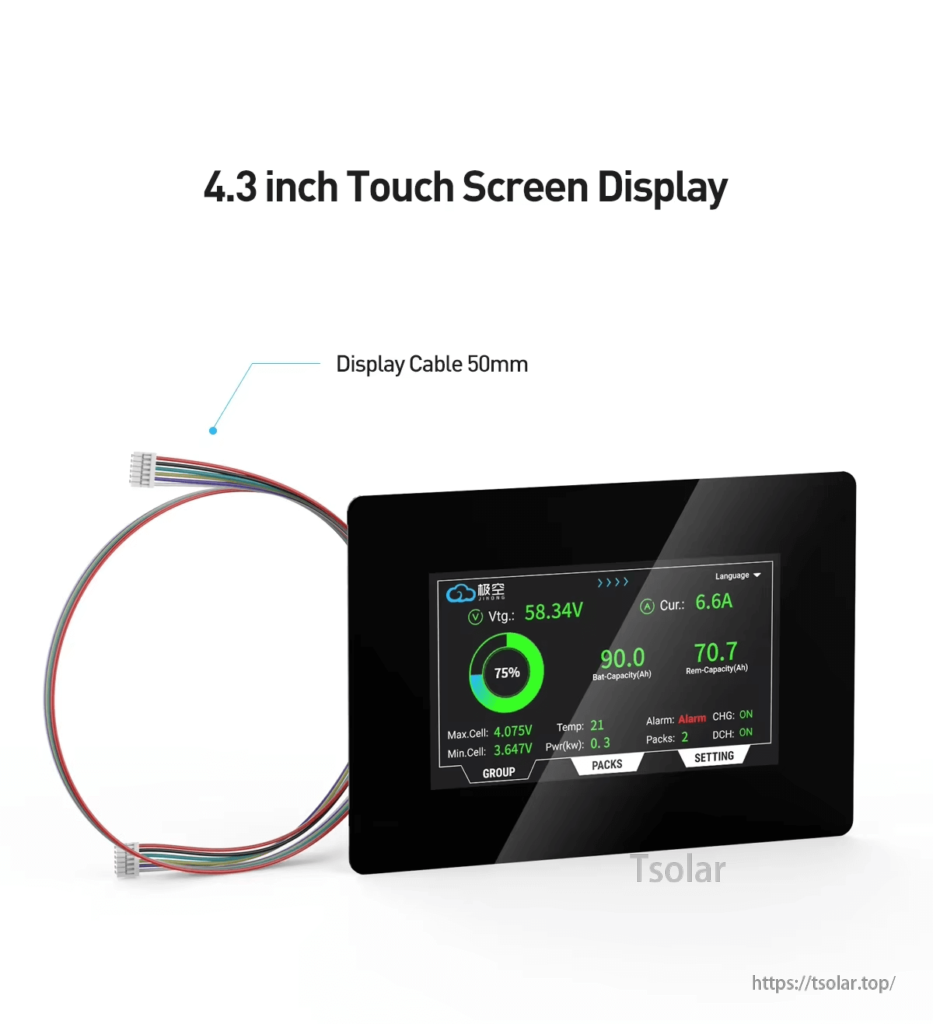
Get live pack voltage, current, SOC, and alarms at a glance on the 4.3-inch touch screen.
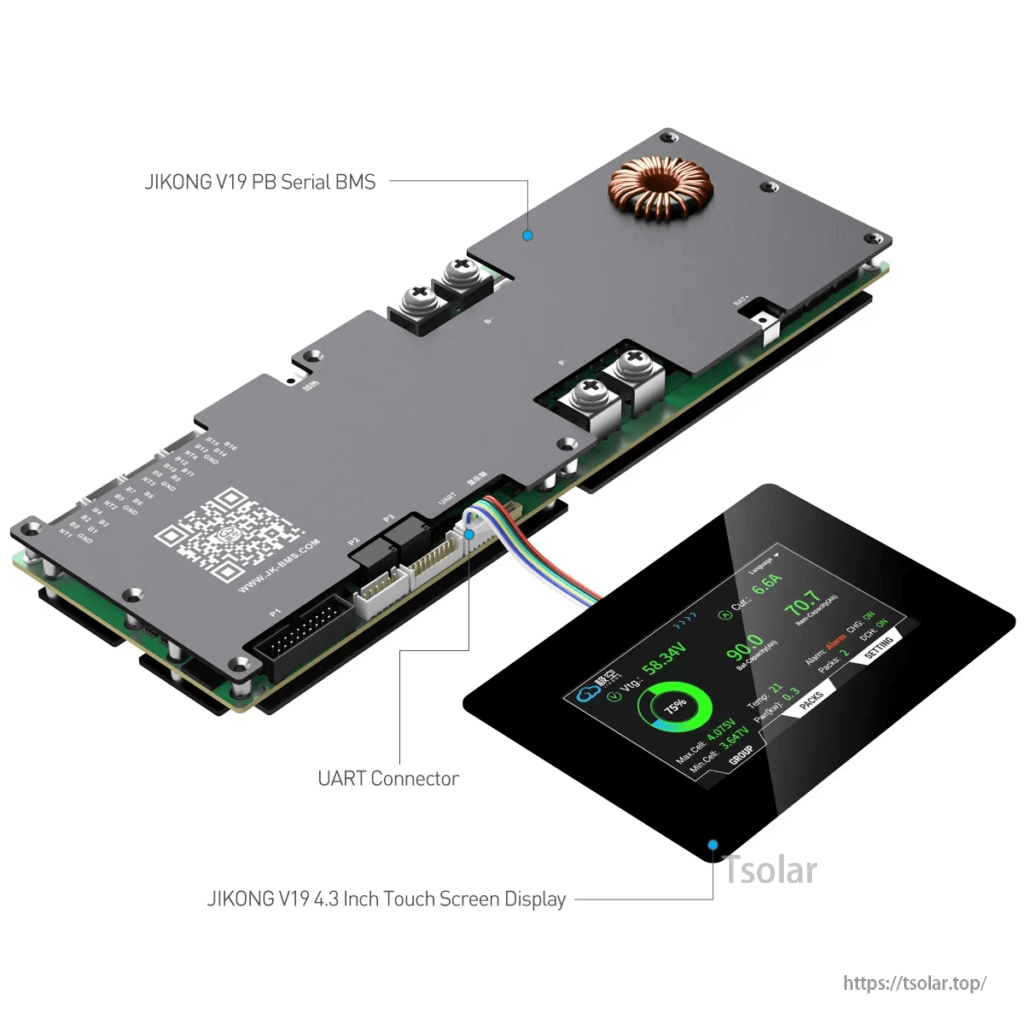
Connects to JIKONG V19 PB serial BMS via the onboard UART port for local monitoring.
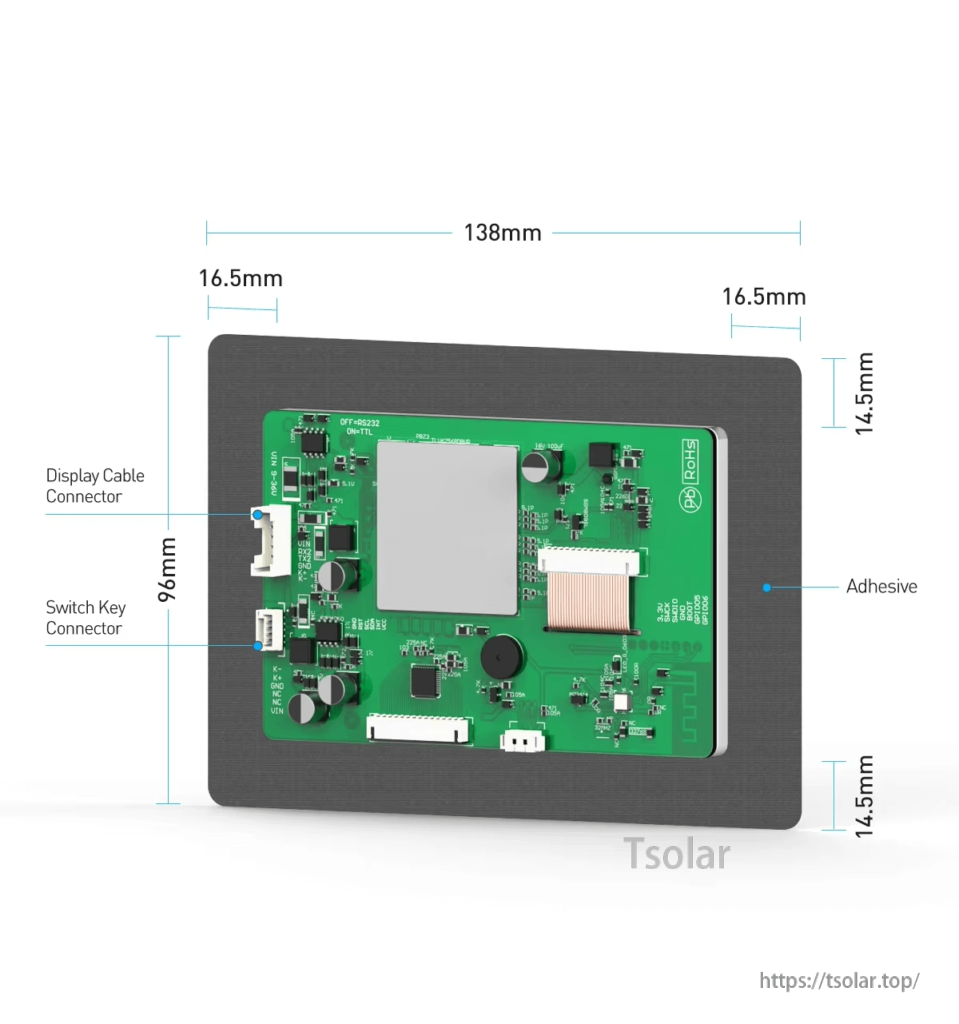
Rear connections are clearly labeled for quick wiring, with an adhesive area for mounting.
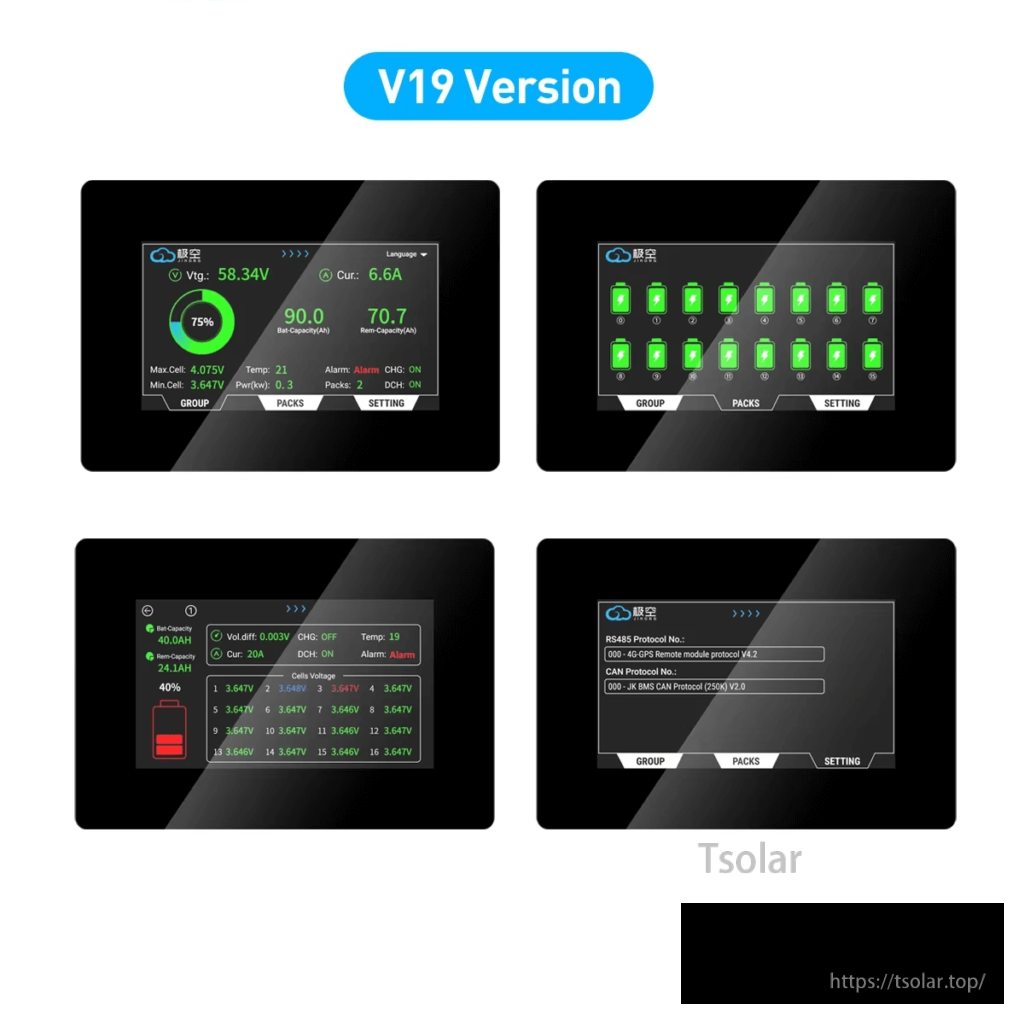
Swipe through overview, cell status, and settings screens directly on the display.
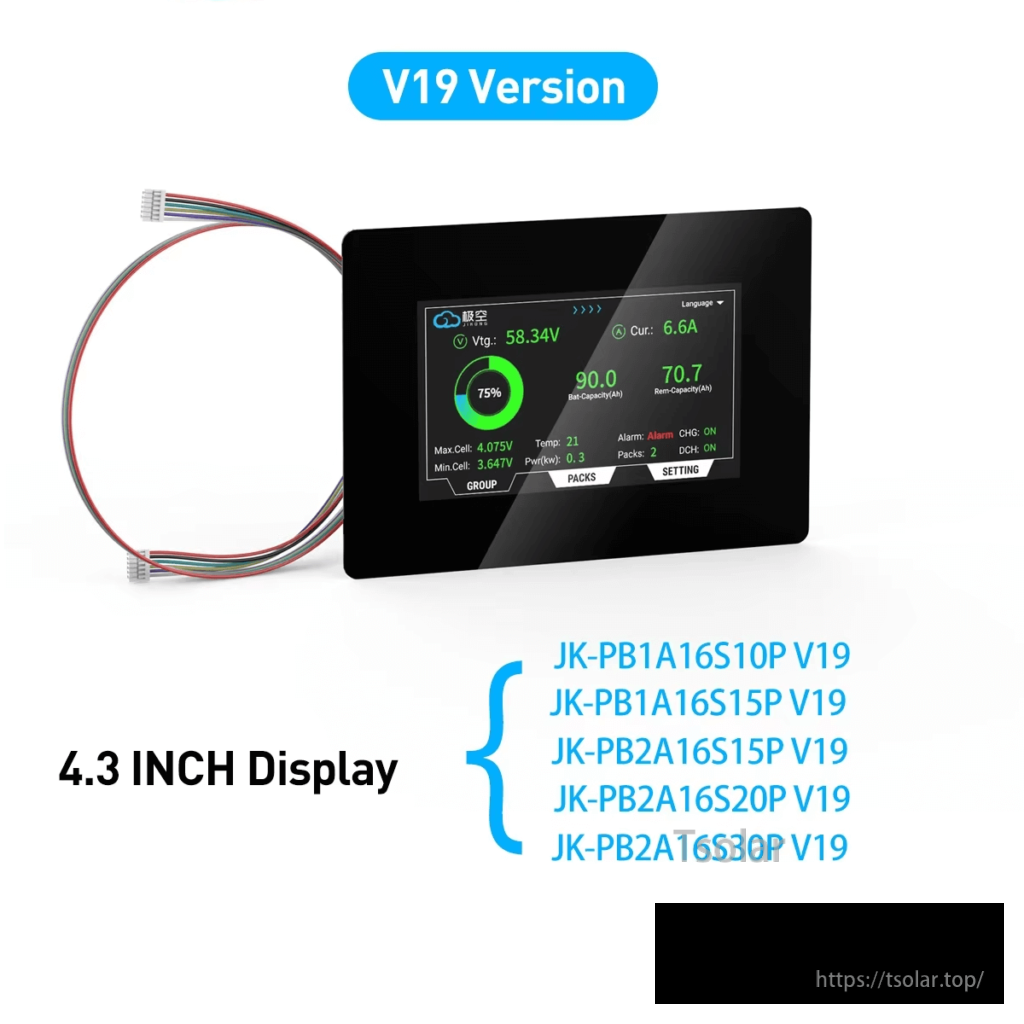
Designed for JK-PB V19 BMS models listed in the product specs for plug-in compatibility.
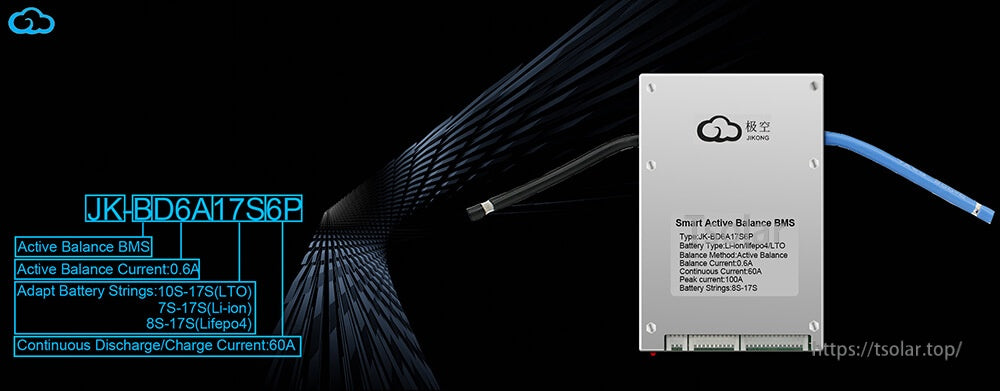
For V19 PB setups, the display is an accessory for compatible JIKONG BMS hardware.
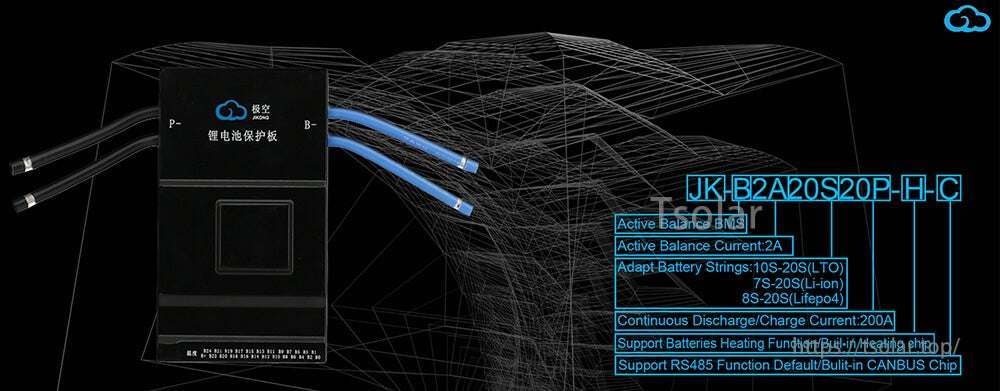
Supports communication features used on compatible systems, including RS485/CANBUS (model dependent).
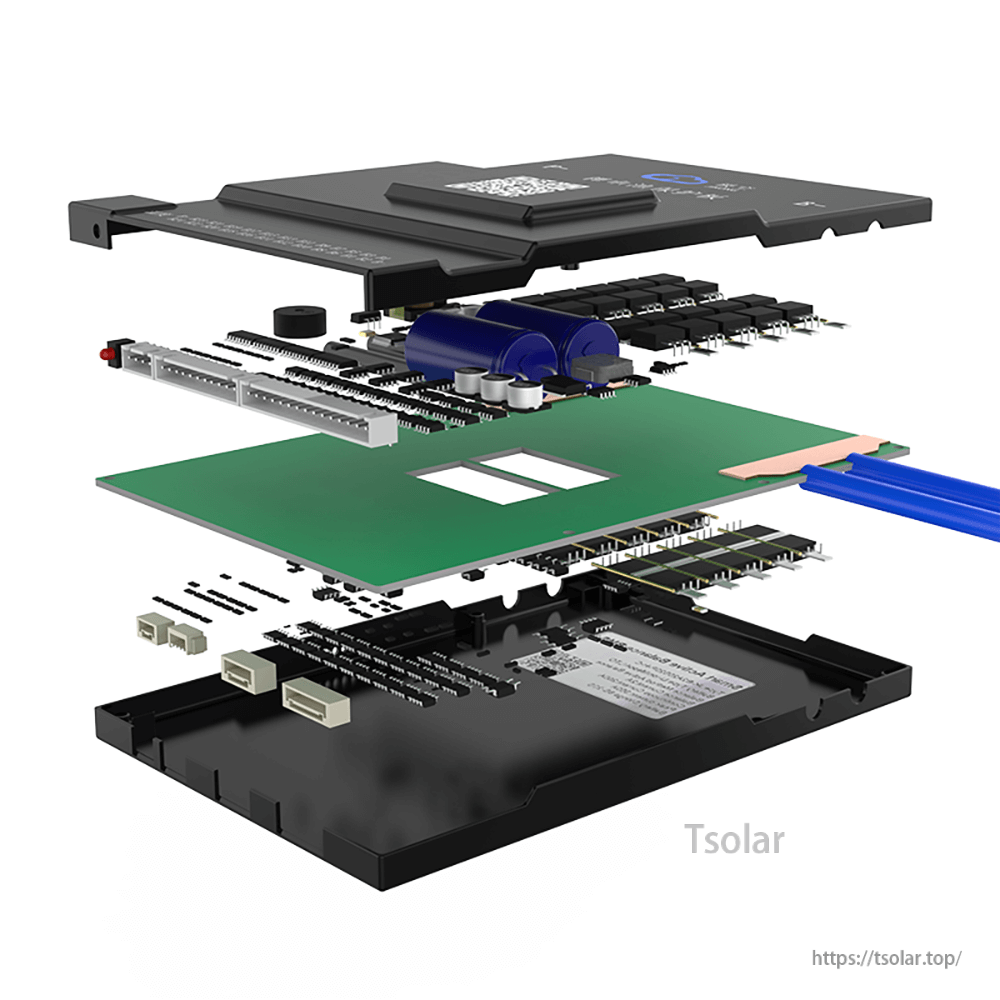
Built to integrate with the BMS enclosure and internal connectors used on supported V19 PB units.
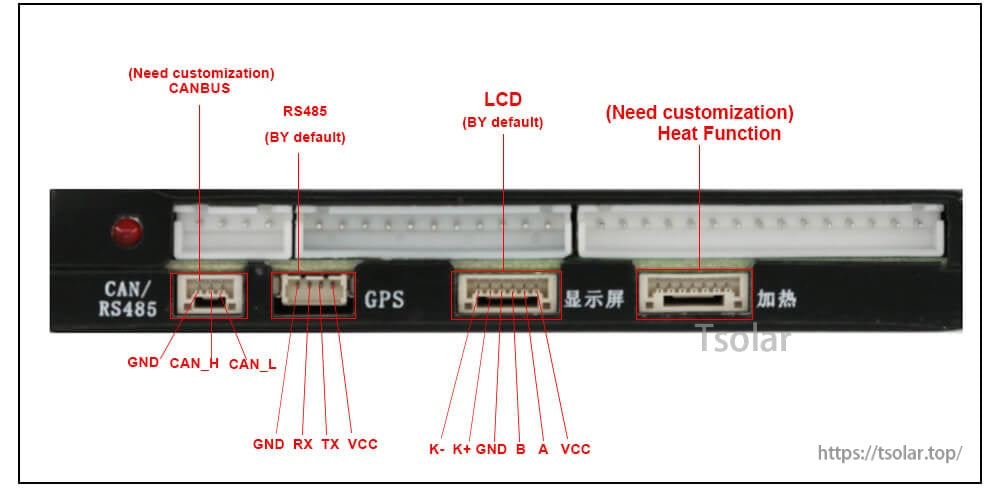
Use the labeled headers to identify LCD and communication ports during installation.
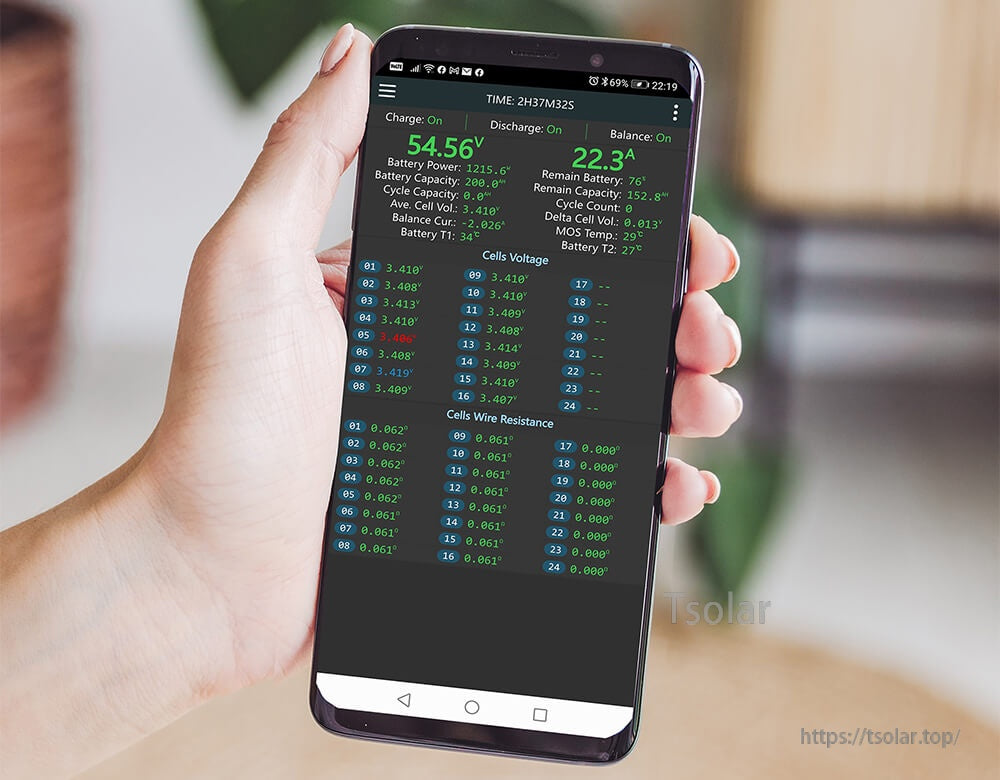
Pair with the built-in Bluetooth module to view detailed battery data on iOS or Android.
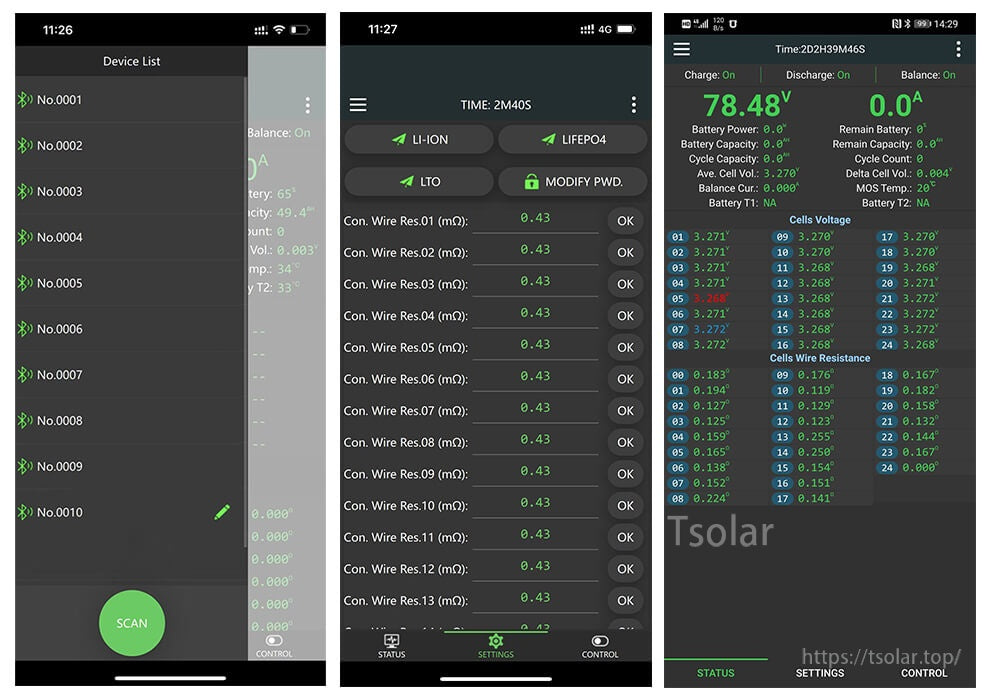
The app provides device scanning, configuration, and real-time cell voltage/resistance tables.
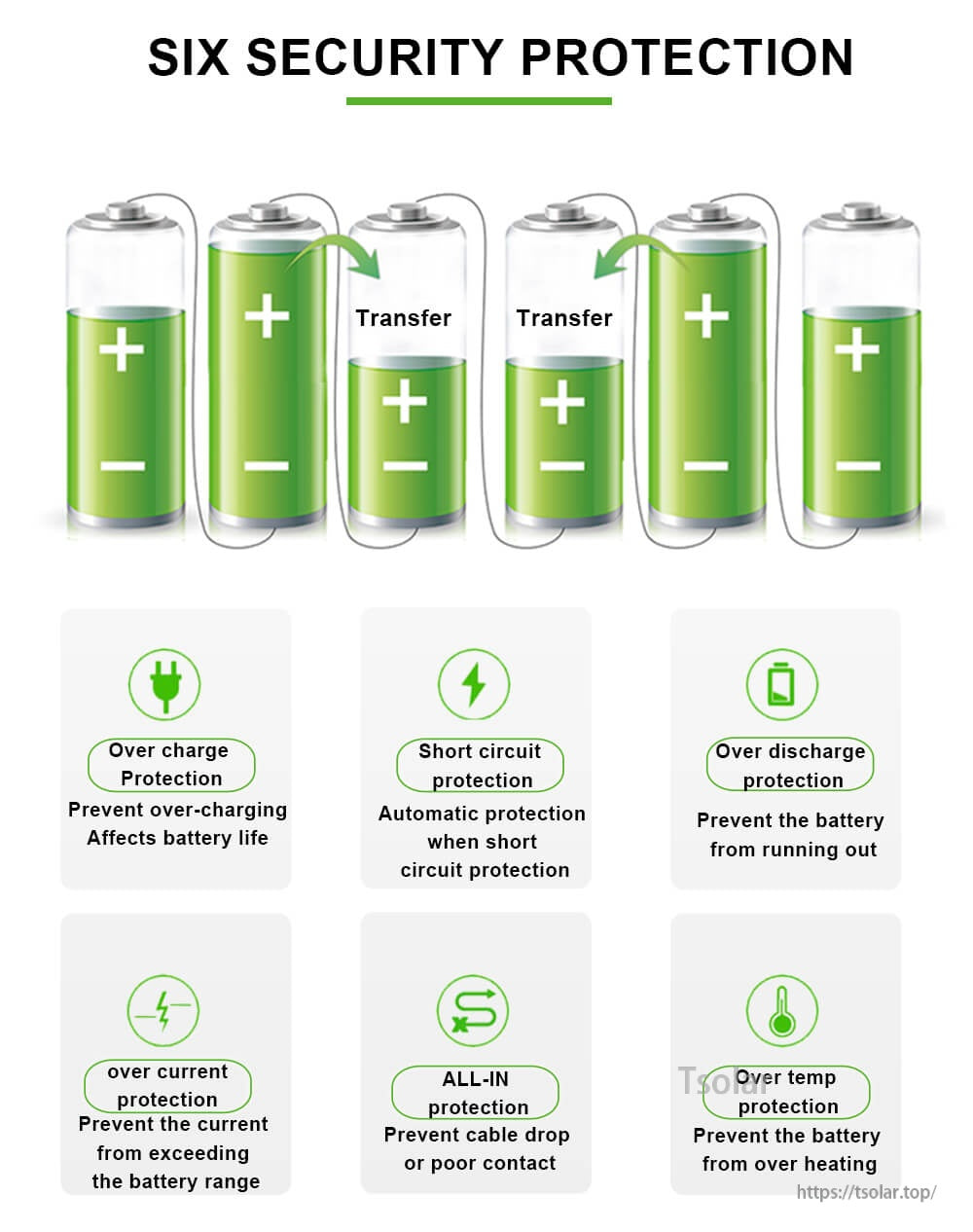
Protection functions include overcharge, short-circuit, overdischarge, overcurrent, all-in, and over-temperature safeguards.
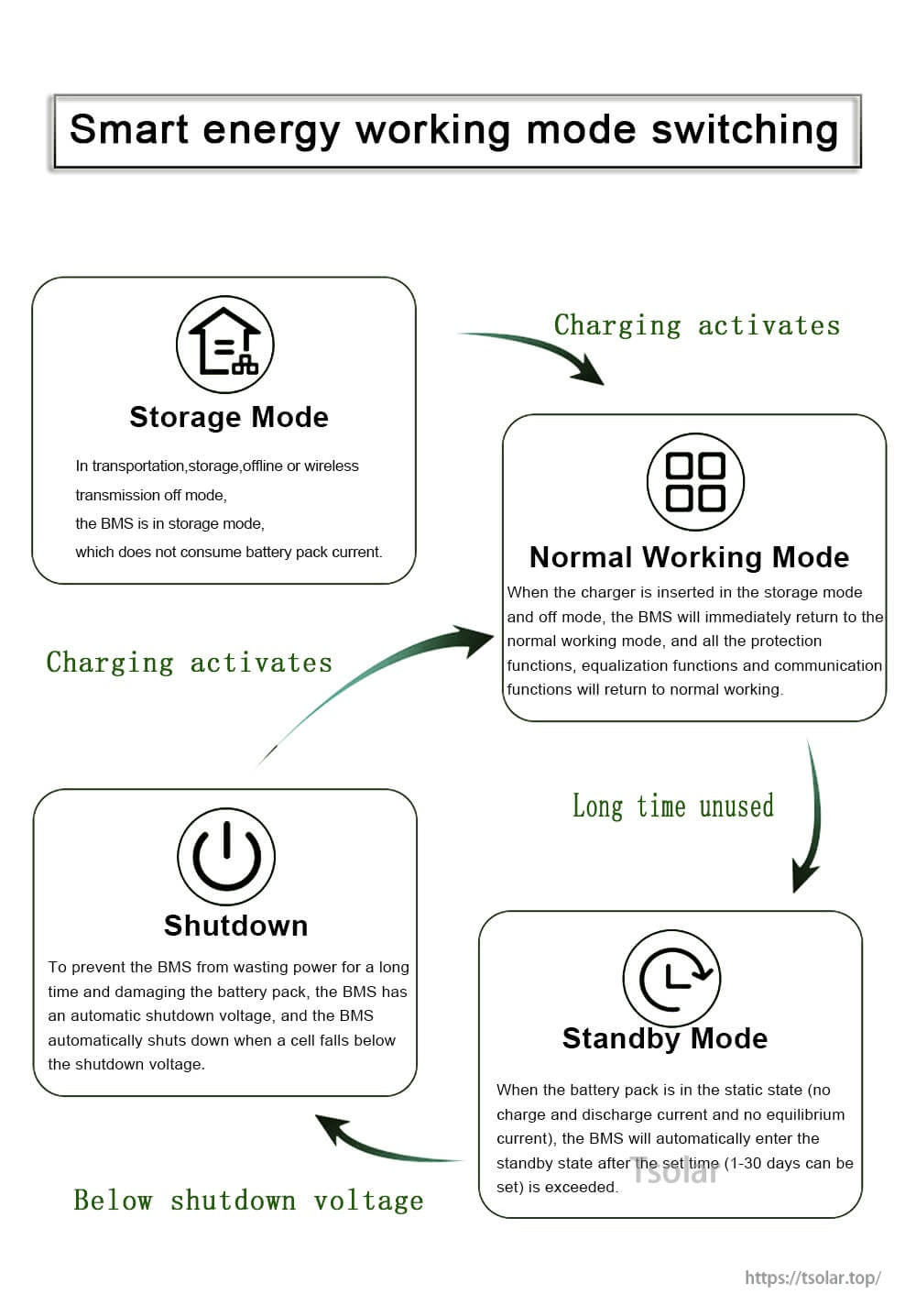
Switch between storage, normal, standby, and shutdown modes to reduce drain during long-term use.
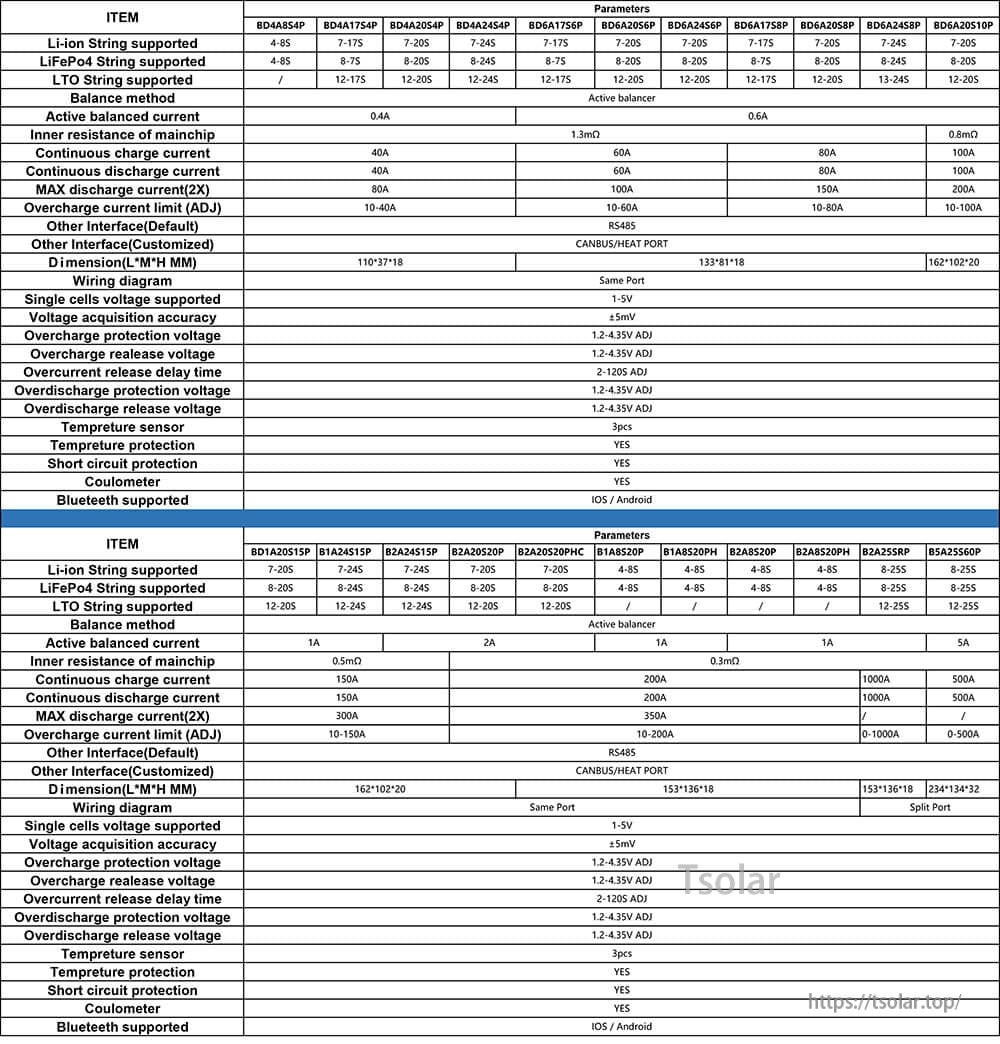
Confirm BMS model details against the compatibility list before choosing the display or extension cable option.