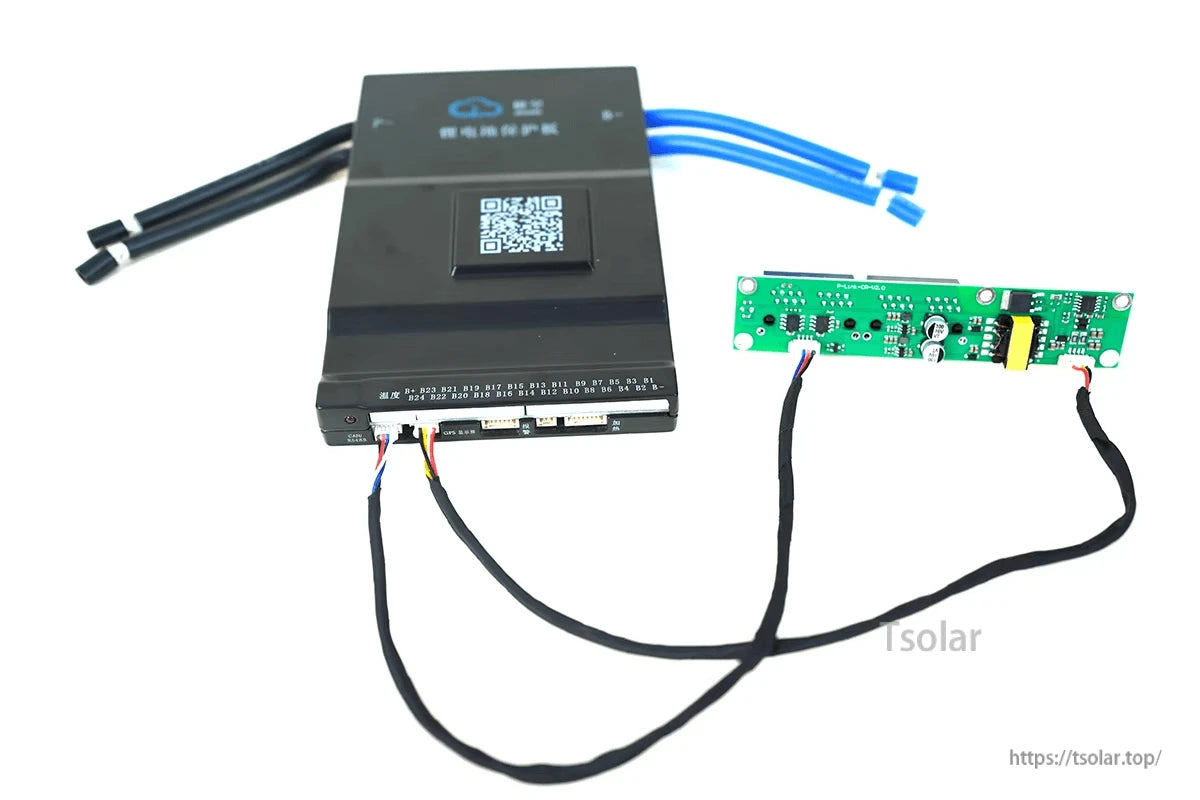
Overview
JIKONG P-Link-CR is a JKBMS serial BMS RS485 interface board designed to add an RS485 communication interface for compatible JIKONG (JK) BMS systems. Compatibility is not universal—verification is required before purchase.
Important compatibility notice: Before ordering, check that the BMS has an RS485 and CANBUS connector (4-pin). If the connector type does not match, the accessory will not be compatible. This product is an RS485 interface board and does not provide CANBUS function.
Key Features
- RS485 communication interface board for compatible JIKONG (JK) BMS.
- Compatibility check guidance: verify the BMS has a 4-pin RS485 and CANBUS connector.
- App-side protocol verification guidance: confirm protocol settings before use (see “Specifications” for the on-screen items and protocol list names).
Specifications
Connector identification (as labeled)
- GPS Connector
- RS485 and CANBUS Connector (required connector type on the BMS): 4 pin
Port function notes (as labeled)
- CANBUS: Need customization (note: this P-Link-CR board is stated as RS485-only; CANBUS function is not provided by this board).
- RS485: By default
- LCD: By default
- Heat Function: Need customization
Pin definitions (as labeled)
| Interface | Pins (left to right as labeled) |
|---|---|
| CANBUS | GND, CAN_H, CAN_L |
| RS485 | GND, RX, TX, VCC |
| LCD | K-, K+, GND, B, A, VCC |
Protocol verification items shown in the JK BMS app
- UART1 Protocol No.
- UART2 Protocol No.
- UART3 Protocol No.
- CAN Protocol No.
“Select UART Protocol” list names shown
- 000 - 4G-GPS Remote module Commo...
- 001 - JK BMS RS485 Modbus V1.0
- 002 - NIU U SERIES
- 003 - China tower shared battery cabin...
- 004 - PACE_RS485_Modbus_V1.3
- 005 - PYLON_low_voltage_Protocol_R...
- 006 - Growatt_BMS_RS485_Protocol_1...
- 007 - Voltronic_Inverter_and_BMS_485...
- 008 - China tower shared battery cabin...
- 009 - WOW_RS485_Modbus_V1.3
- 010 - JK BMS LCD Protocol V2.0
- 011 - UART1 User customization
- 012 - UART2 User customization
- 013 - (9600)JK BMS RS485 Modbus V...
- 014 - (9600)PYLON_low_voltage_Proto...
- 015 - JK BMS PBxx SERIES LCD Proto...
Applications
- Adding RS485 communications to compatible JIKONG (JK) BMS installations where RS485 data integration is required.
- Use cases requiring BMS communication via RS485 (protocol selection must match the target device/system).
For pre-purchase compatibility questions, contact support at https://tsolar.top/ or email service@tsolar.top.
Details
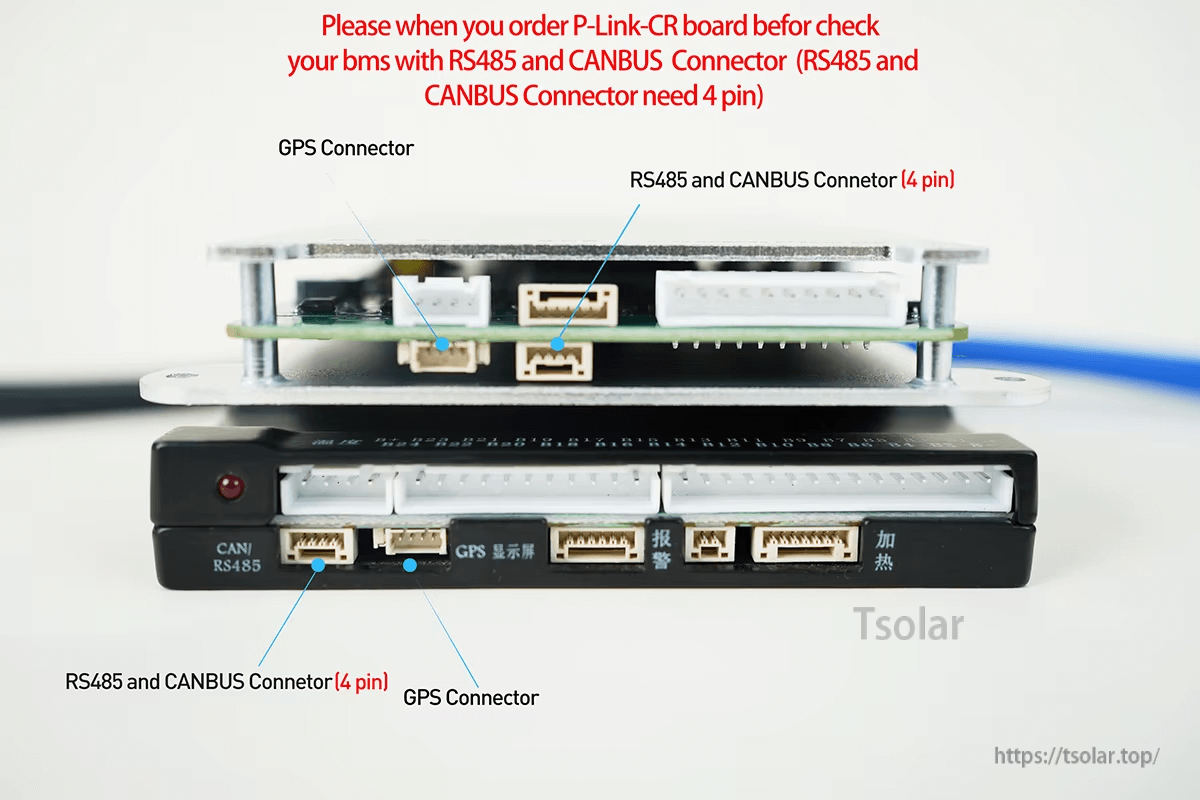
Verify your JK BMS has the matching 4‑pin RS485/CAN connector before ordering; connector mismatch means it will not fit.
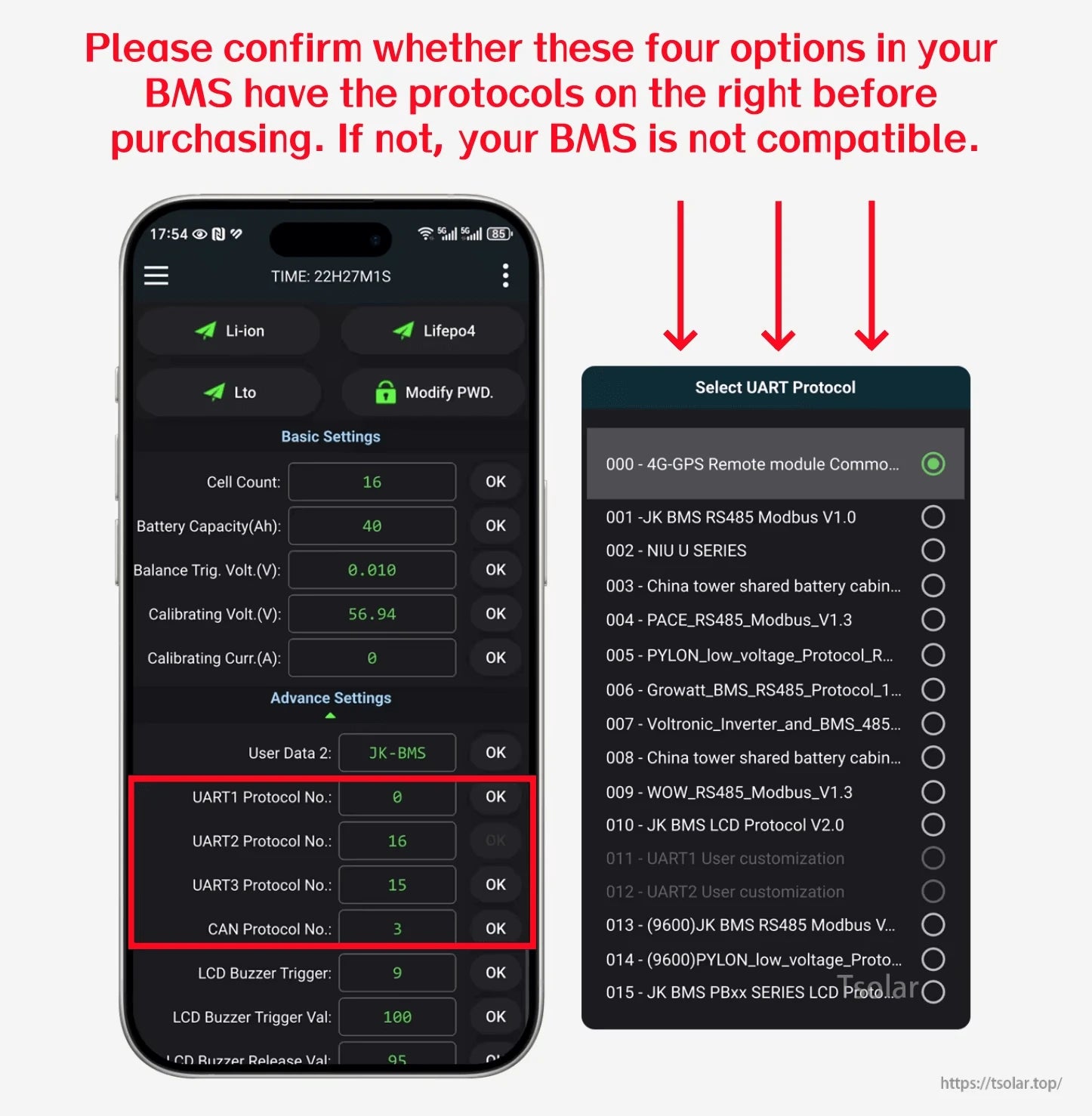
Confirm the required UART protocol options are available in the JK BMS app settings prior to purchase and setup.
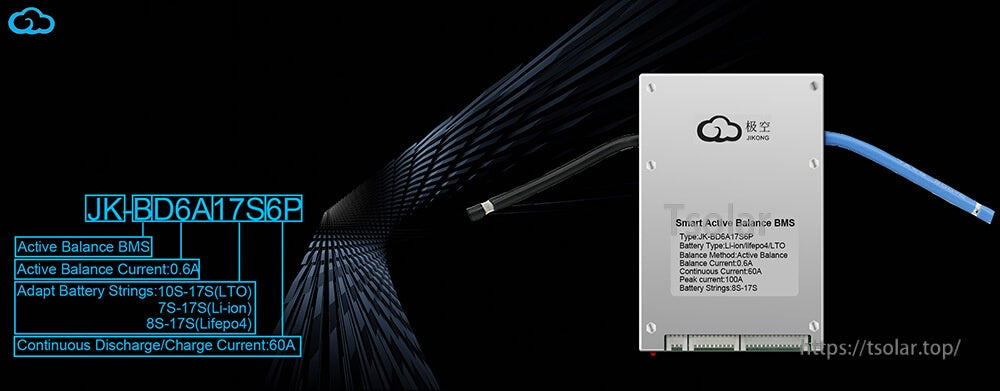
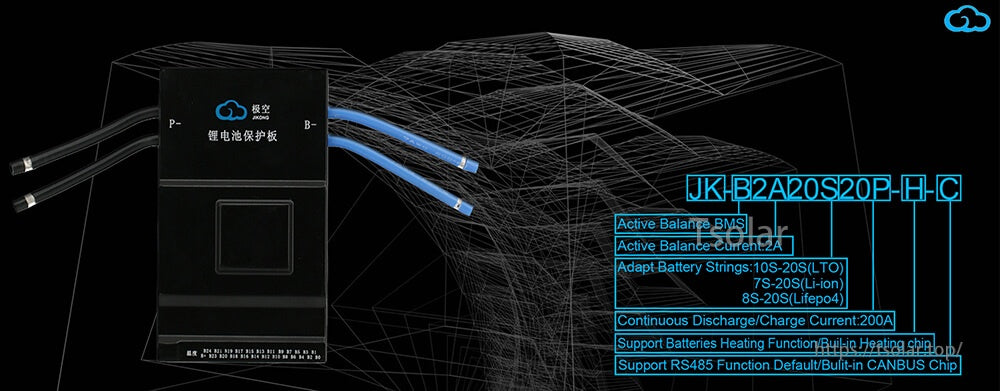
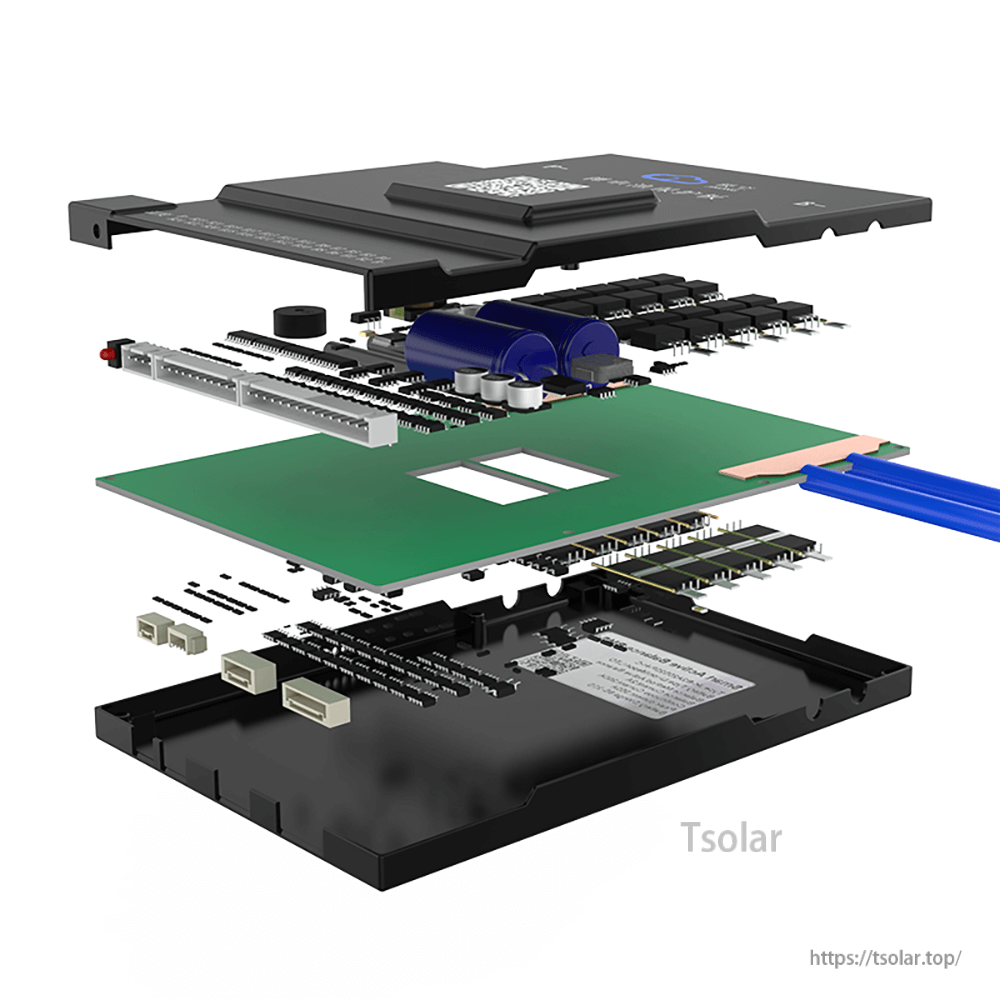
The interface board integrates inside compatible JK BMS hardware to provide an RS485 communication connection.
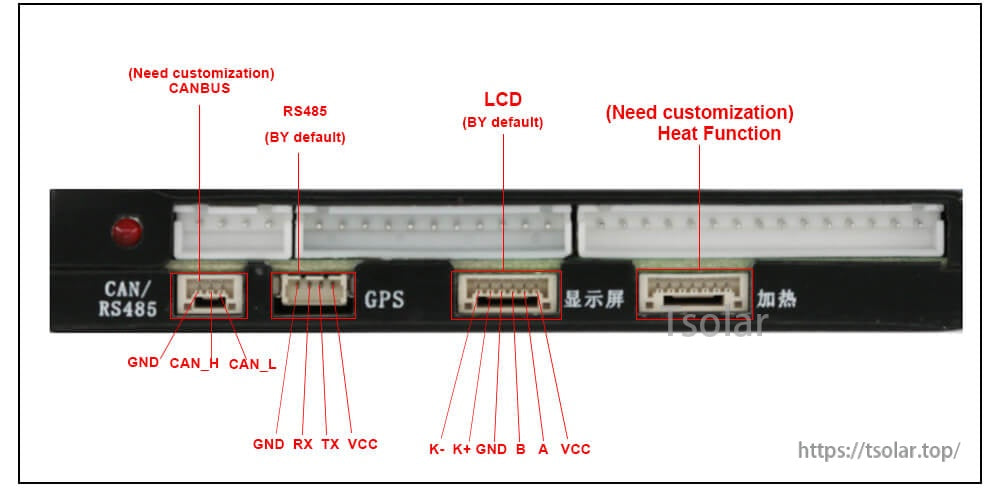
Port labels and pinouts help identify RS485 (default) versus headers that may require customization on some setups.
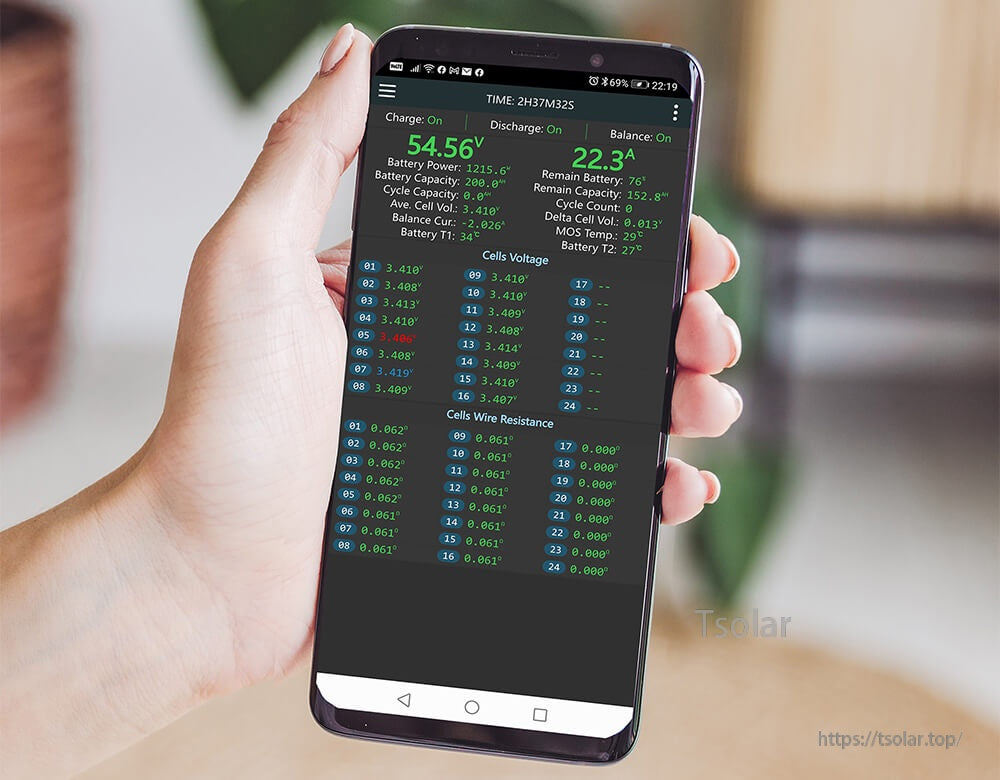

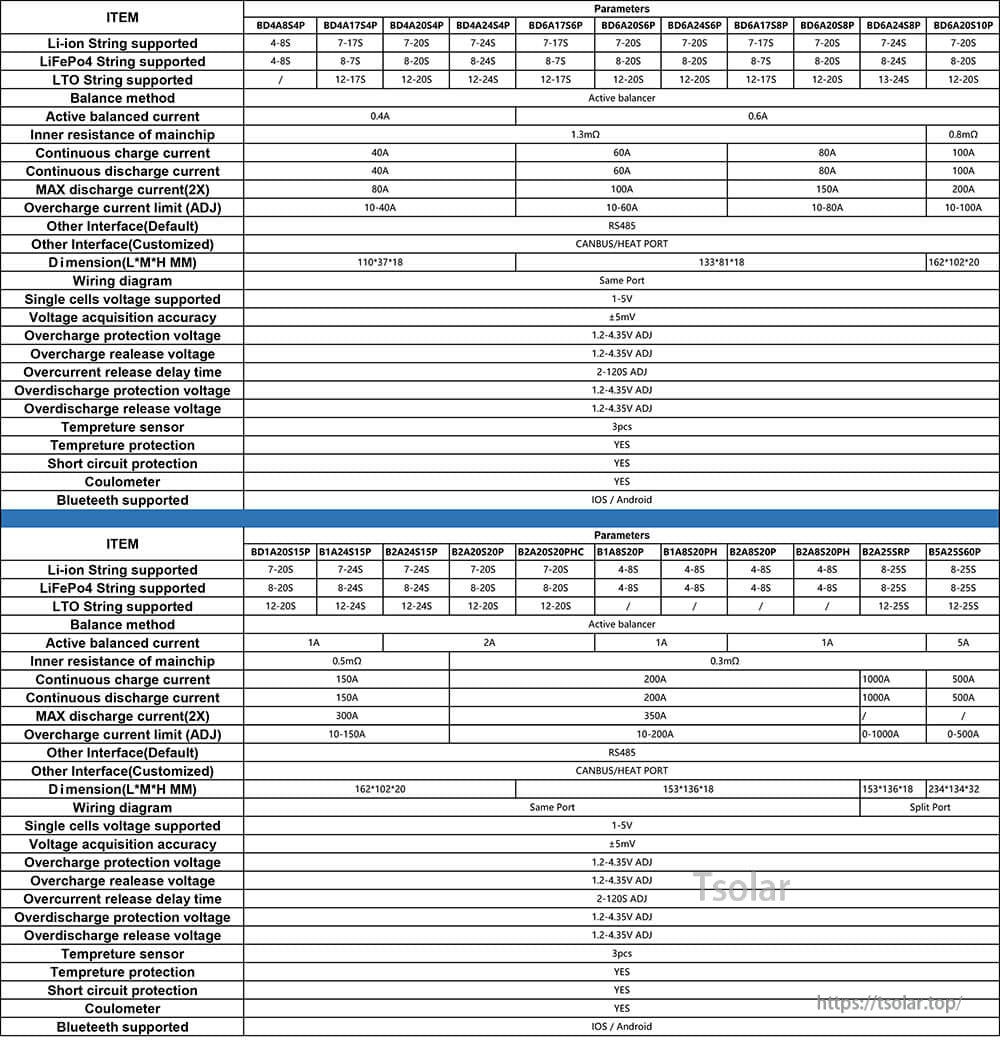
Use the model/spec table to confirm your BMS variant and its supported communication interface before selecting accessories.