Overview
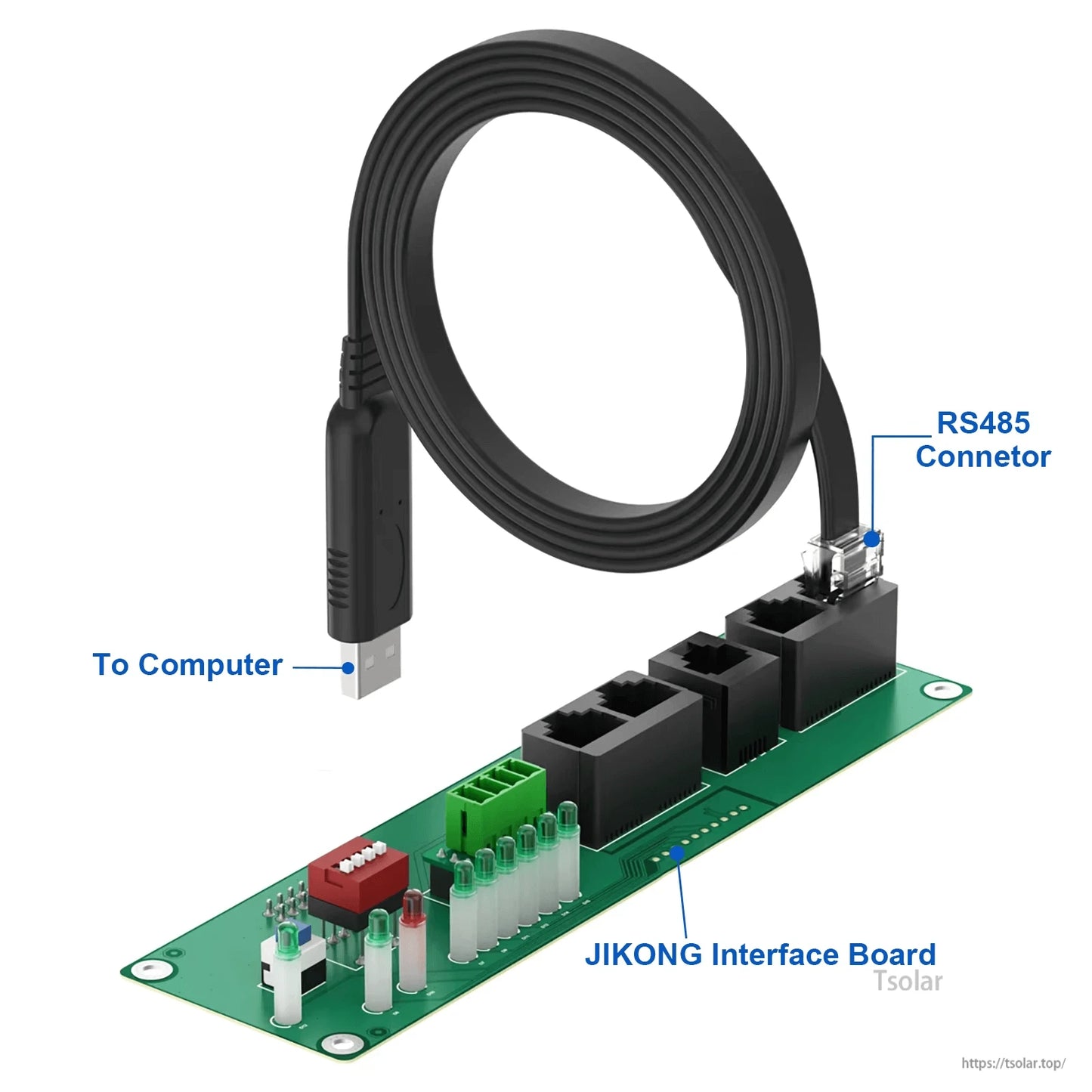
This JIKONG USB-RS485-RJ45 connector accessory is designed for connecting a computer to compatible JKBMS / JIKONG BMS systems for firmware updates and parameter settings. It is described as dedicated for JKBMS JK-PBxA16SxxP series inverters/BMS applications, and is also referenced as an RS485/CAN module accessory for JIKONG BMS (BMS: JIKONG P-Link-CR).
Key Features
- USB to computer connection and RS485 RJ45 connection for compatible JIKONG/JKBMS systems.
- Intended use: firmware updates and parameter configuration.
- Interface board labeling shown: To Computer, RS485 Connetor, JIKONG Interface Board.
For compatibility checks (BMS model, inverter series, and required port type), contact customer support at https://tsolar.top/ or service@tsolar.top.
Interface / Port Pinout (from provided graphics)
-
CANBUS (Need customization):
GND,CAN_H,CAN_L -
RS485 (BY default):
GND,RX,TX,VCC -
LCD (BY default):
K-,K+,GND,B,A,VCC - Heat Function (Need customization): shown as an optional/customized connector
-
GPS: connector position is labeled
GPS
Referenced JIKONG BMS Information Shown in the Provided Materials
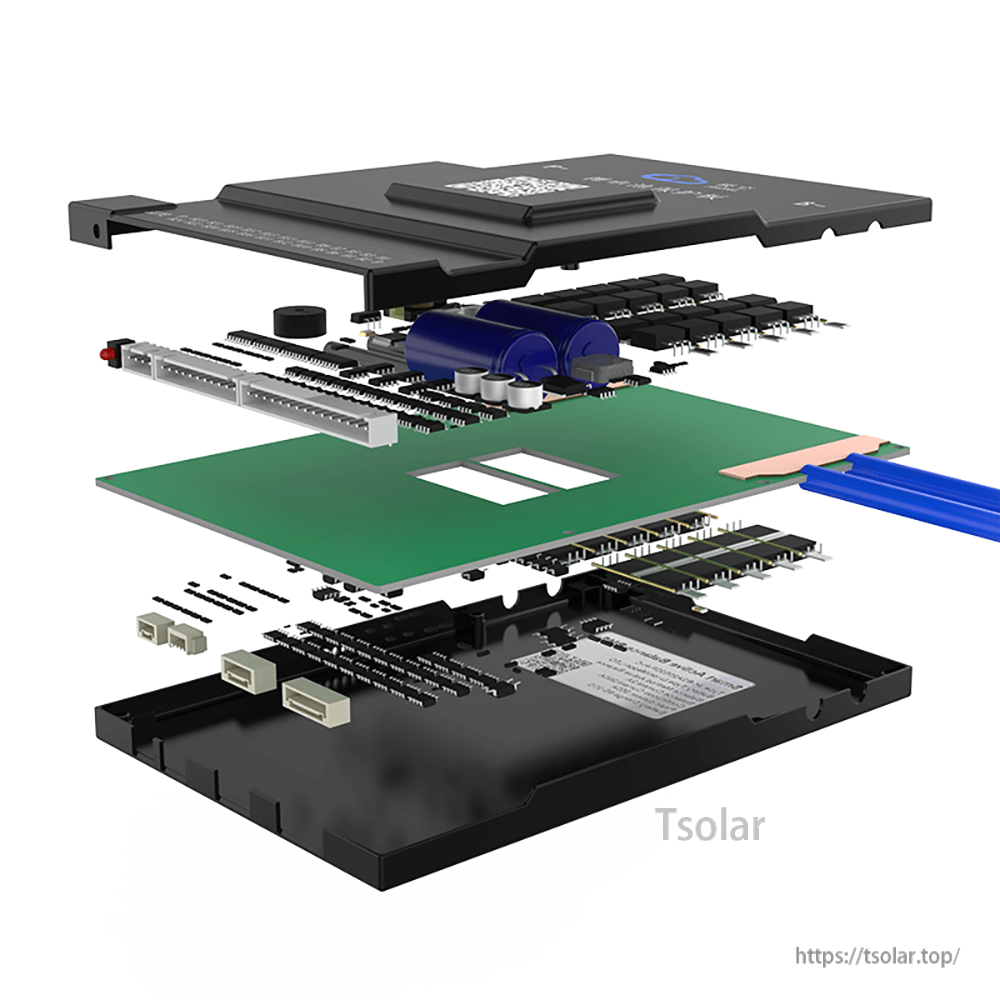
The following items are shown in the provided materials as related JIKONG “Smart Active Balance BMS” functions/specs. They describe BMS features/models (not the USB-RS485-RJ45 cable itself).
App / System Notes Shown
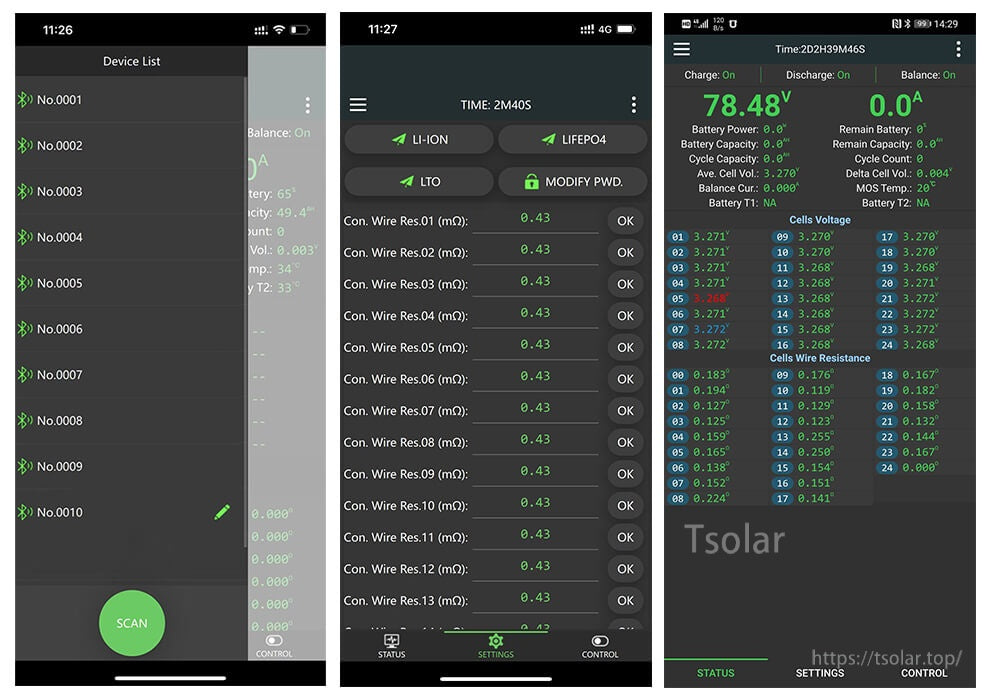
- Bulit-in Bluetooth Module
- Support RS485/CANBUS Communication
- Support IOS/Android System
- Download the specified Bluetooth application and activate the BMS.
- Open the Bluetooth application and find the relevant serial number,then you can check all the data.
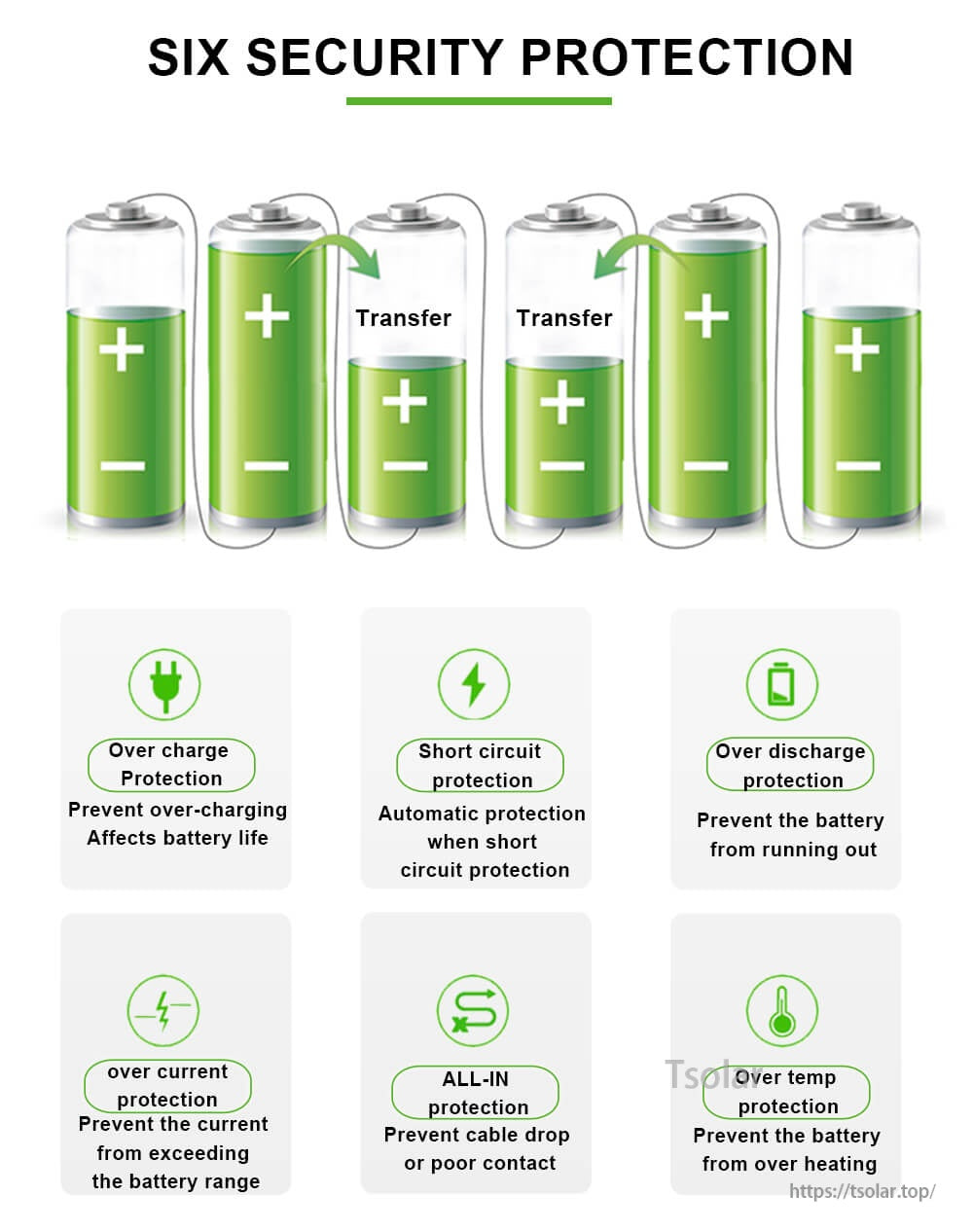
Six Security Protection (as written)
- Over charge protection: Prevent over-charging affects battery life
- Short circuit protection: Automatic protection when short circuit protection
- Over discharge protection: Prevent the battery from running out
- Over current protection: Prevent the current from exceeding the battery range
- All-in protection: Prevent cable drop or poor contact
- Over temp protection: Preyent the battery from over heating
Smart Energy Working Mode Switching (as written)
- Storage Mode: In transportation,storage,offline or wireless transmission off mode, the BMS is in storage mode, which does not consume battery pack current.
- Normal Working Mode: When the charger is inserted in the storage mode and off mode, the BMS will immediately return to the normal working mode, and all the protection functions, equalization functions and communication functions will return to normal working.
- Shutdown: To prevent the BMS from wasting power for a long time and damaging the battery pack, the BMS has an automatic shutdown voltage, and the BMS automatically shuts down when a cell falls below the shutdown voltage.
- Standby Mode: When the battery pack is in the static state (no charge and discharge current and no equilibrium current), the BMS will automatically enter the standby state after the set time (1-30 days can be set) is exceeded.
BMS Model Callouts Shown
-
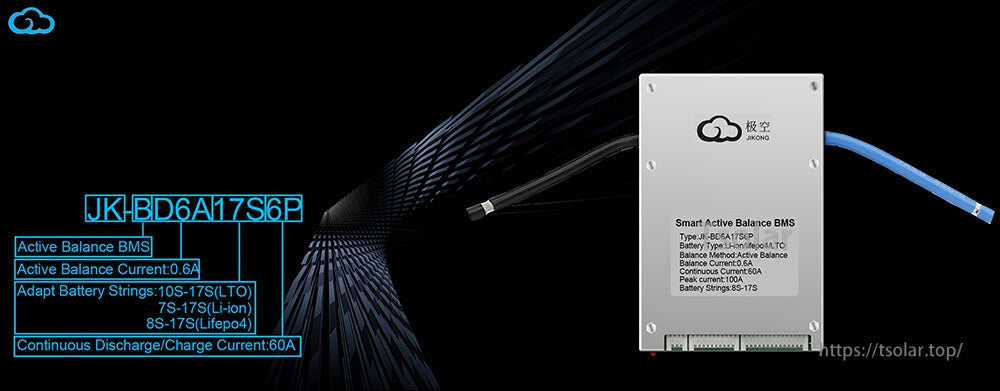
JK-BD6A17S6P
- Active Balance BMS
- Active Balance Current: 0.6A
- Adapt Battery Strings: 10S-17S (LTO); 7S-17S (Li-ion); 8S-17S (Lifepo4)
- Continuous Discharge/Charge Current: 60A
- Smart Active Balance BMS label text shown: Type: JK-BD6A17S6P; Battery Type: Li-ion/Lifepo4/LTO; Balance Method: Active Balance; Balance Current: 0.6A; Continuous Current: 60A; Peak current: 100A; Battery Strings: 03-17S
-
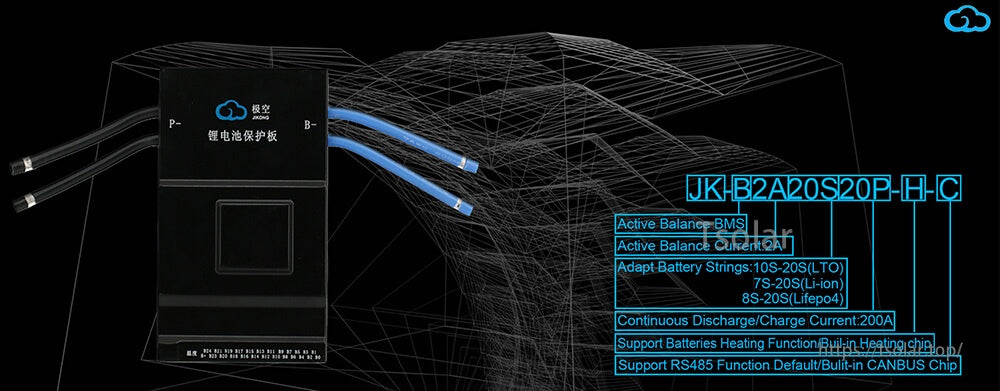
JK-B2A20S20P-H-C
- Active Balance BMS
- Active Balance Current: 2A
- Adapt Battery Strings: 10S-20S (LTO); 7S-20S (Li-ion); 8S-20S (Lifepo4)
- Continuous Discharge/Charge Current: 200A
- Support Batteries Heating Function/Built-in Heating chip
- Support RS485 Function Default/Built-in CANBUS Chip
Specifications
| Brand / System | JIKONG / JKBMS (as described) |
|---|---|
| Accessory Type | USB-RS485-RJ45 connector accessory (to computer) |
| Primary Use | Firmware updates; parameter settings |
| Referenced Compatibility | JKBMS JK-PBxA16SxxP series inverters/BMS (dedicated, as described) |
| Additional Information (provided) | JKBMS RS485 CAN Module for JIKONG BMS; BMS: JIKONG P-Link-CR |
Applications
- Computer connection to compatible JIKONG/JKBMS RS485 ports for configuration and firmware update workflows.
- Integration/servicing for supported JKBMS JK-PBxA16SxxP series inverter-BMS systems (as described).
Details
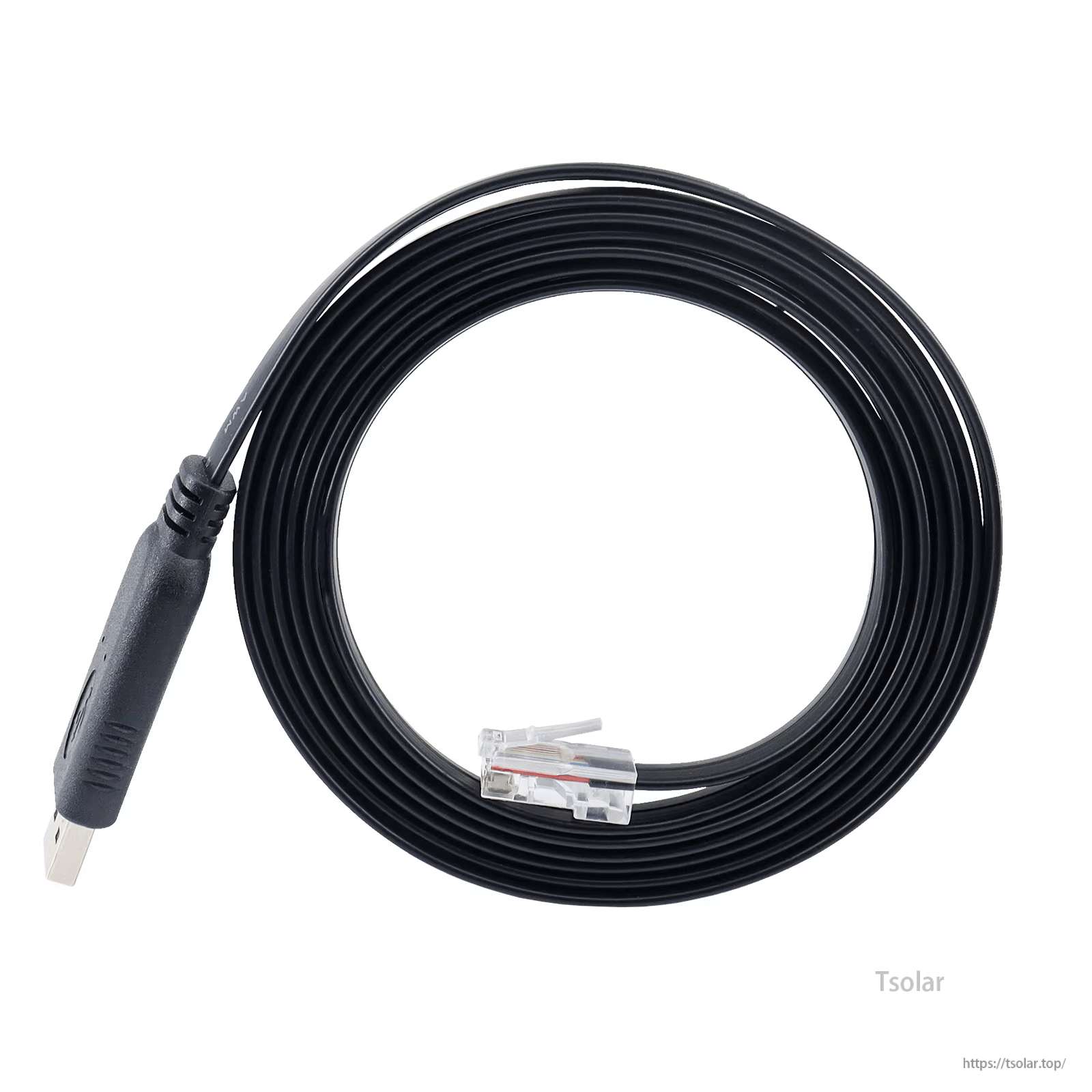
Use the USB-to-RS485 RJ45 cable to connect a computer to compatible JIKONG/JKBMS equipment for setup and firmware work.
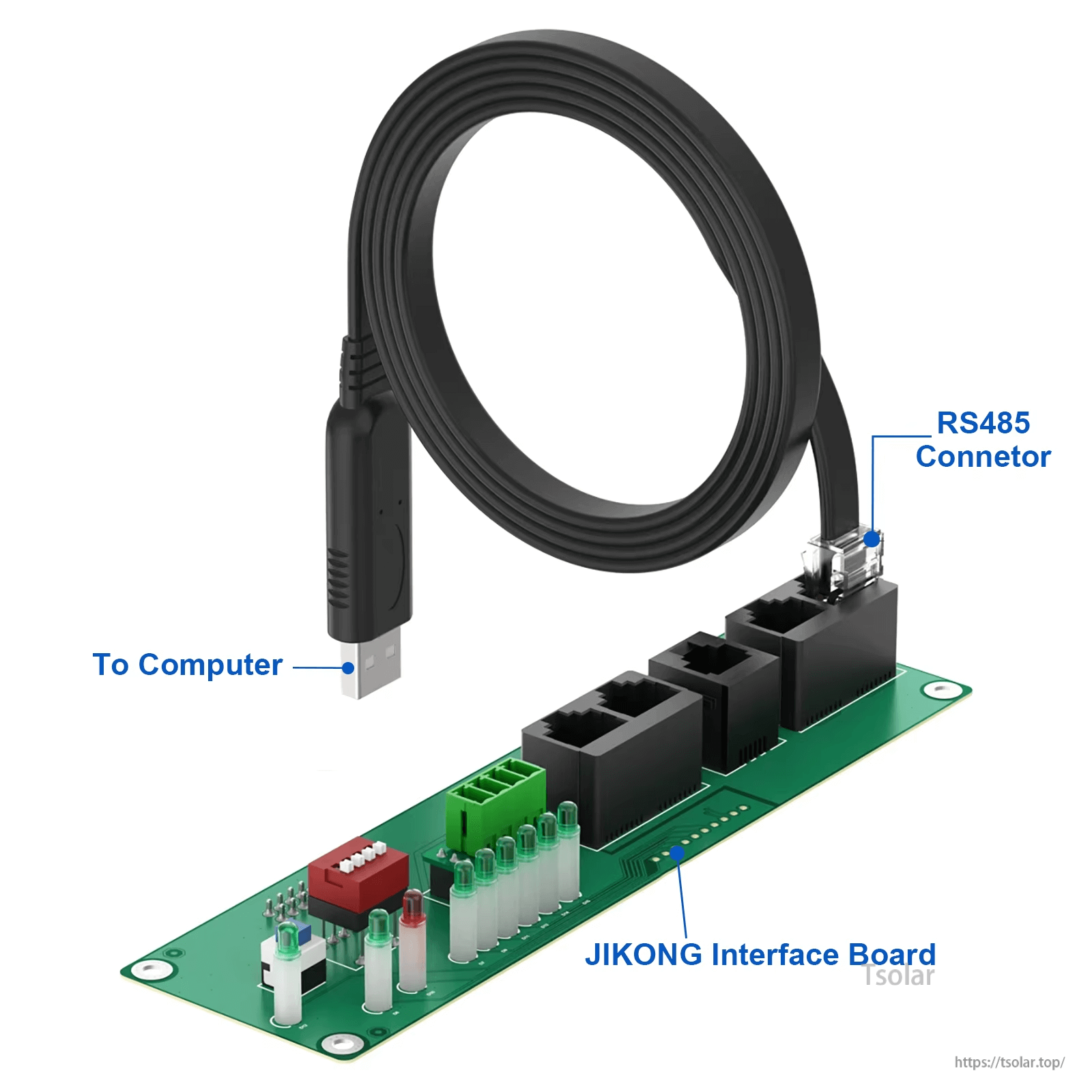
A dedicated interface board bridges the USB connection to the RS485 RJ45 port used on supported JIKONG/JKBMS systems.
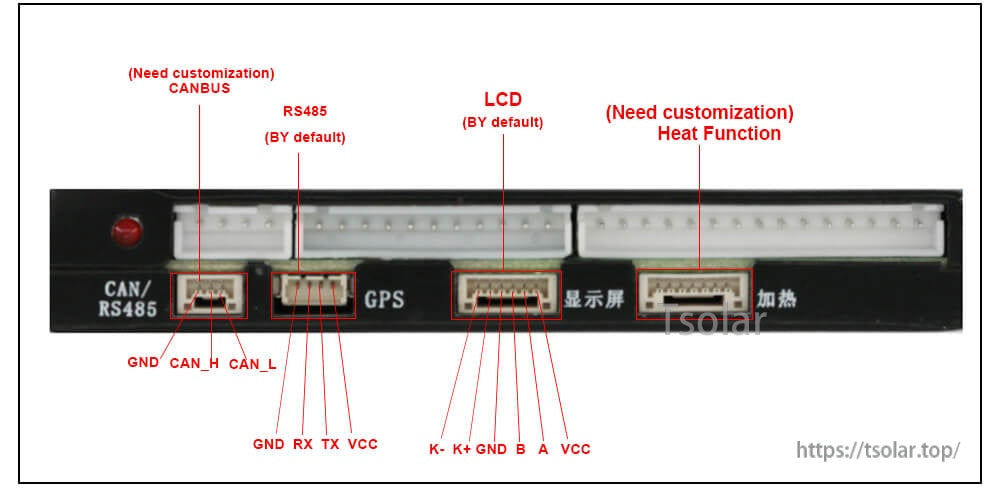
Connector pinout reference for selecting the correct port type; CANBUS and heat wiring may require customization.
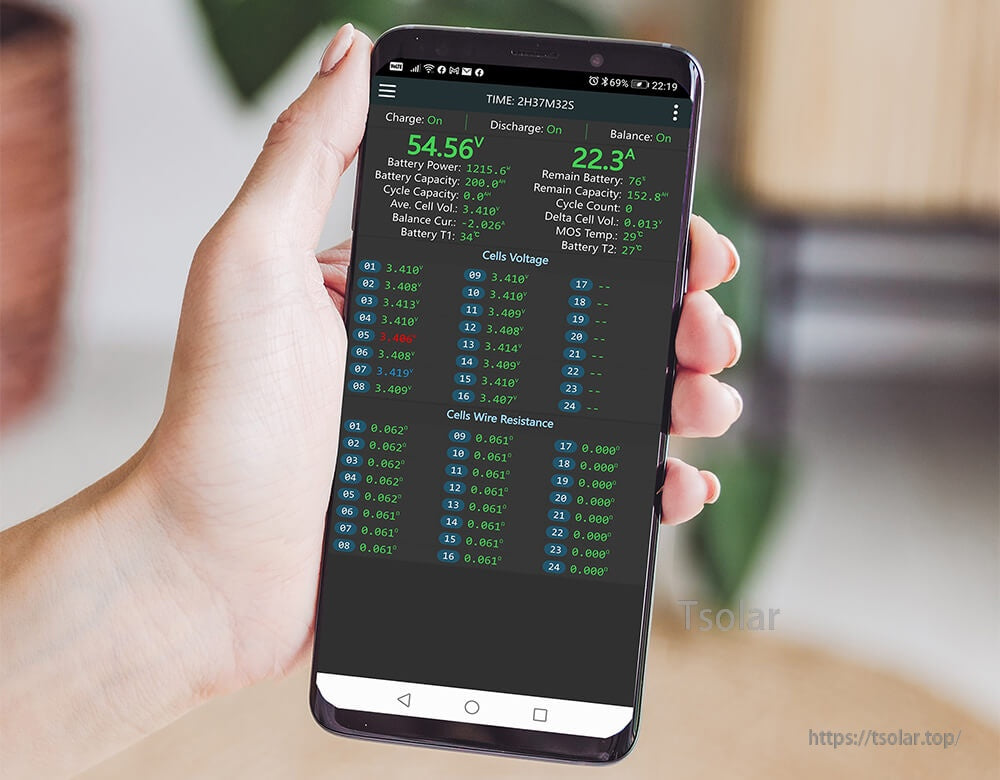
After connecting and configuring, battery status and cell data can be monitored in the JIKONG/JKBMS app.
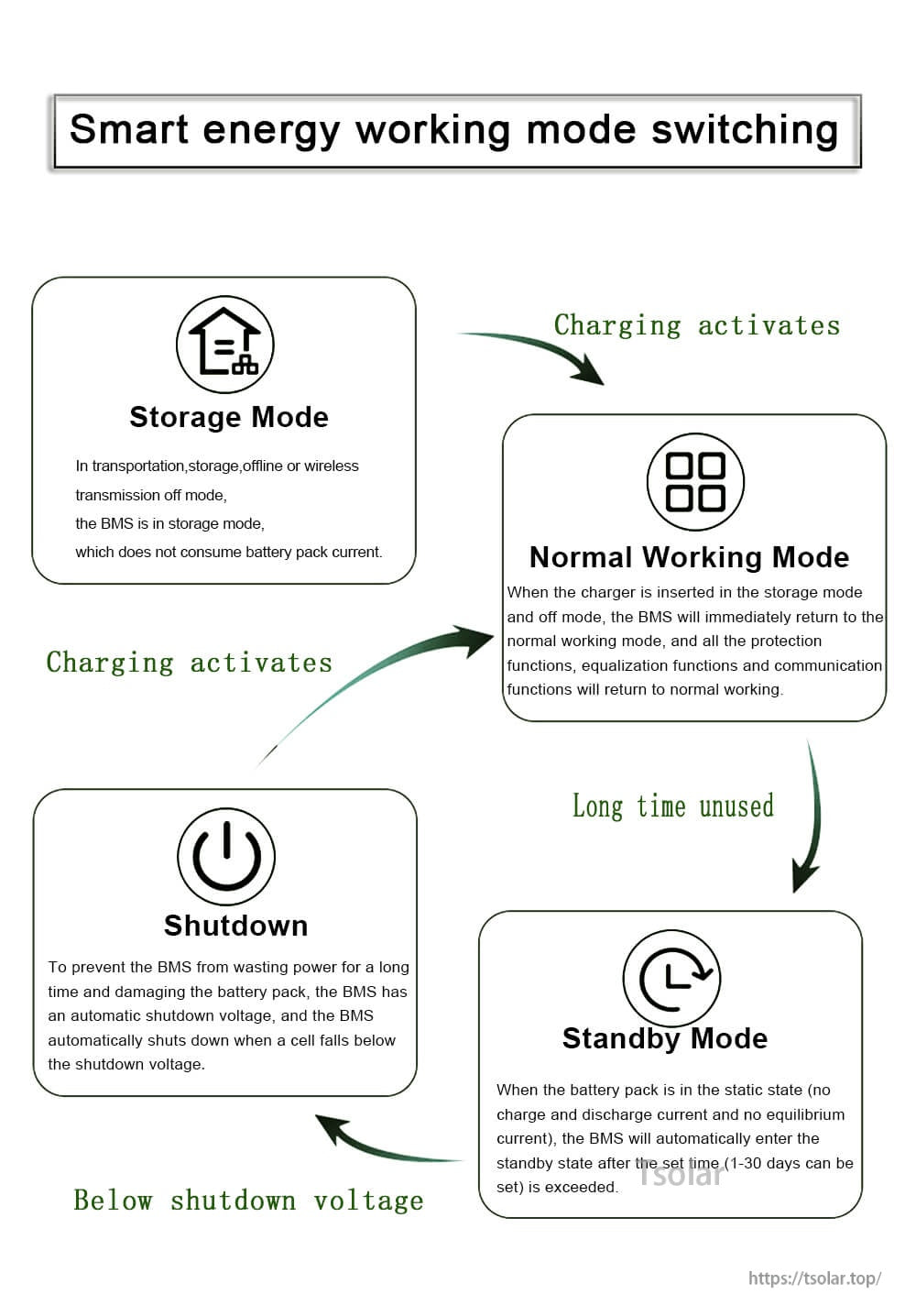
Operating modes are managed by the compatible BMS, including storage and standby behavior during long periods of non-use.
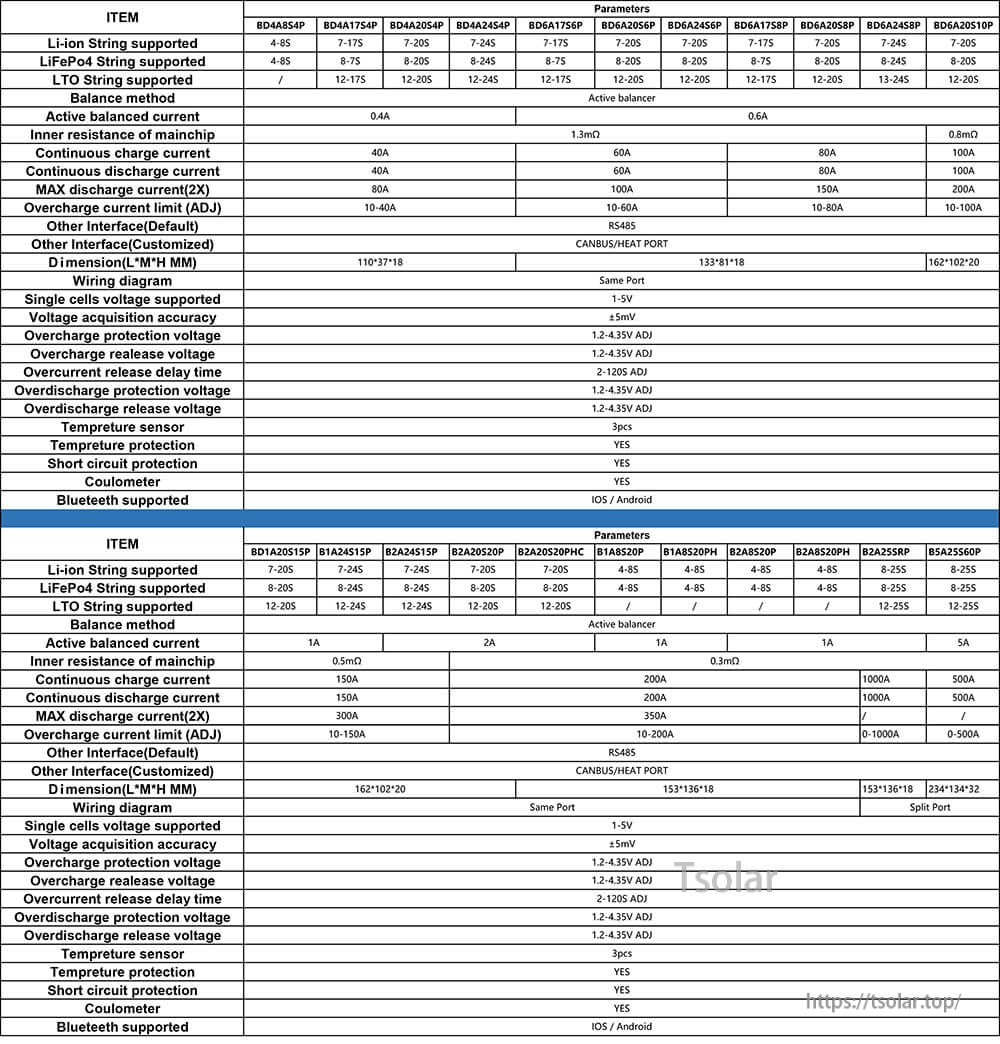
Check the model table to confirm communication interface and compatibility; contact support if you’re unsure which port you need.